GunBroker
GunBroker is the third sales channel, alongside the web store and the counter. Inventory staff list guns one at a time and models by quantity; the listing buttons belong to Stock Manager and System Manager. Counter and operations staff work the resulting orders through payment, transfer and shipping.
Before you start
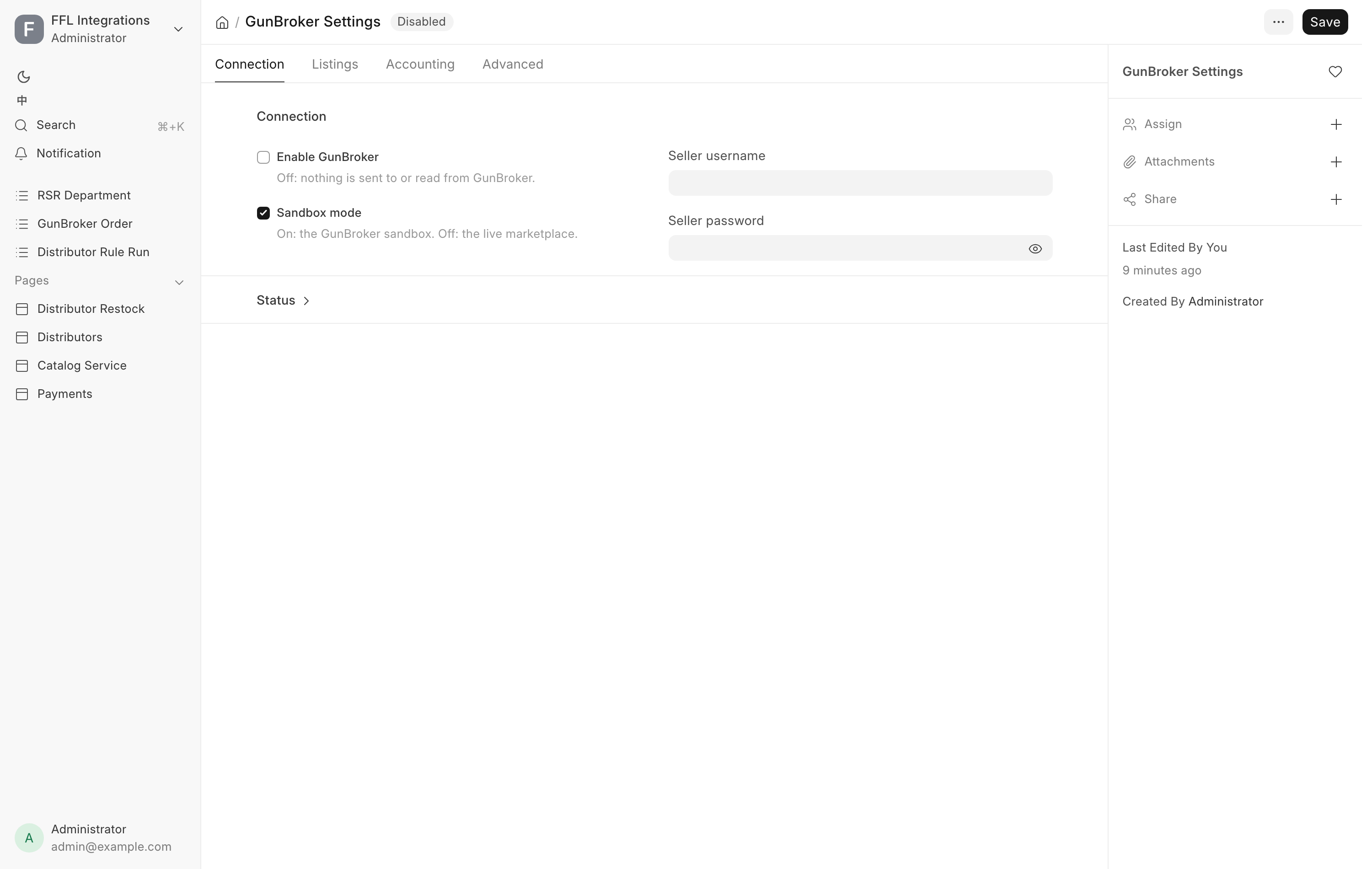
- Enable GunBroker must be ticked in GunBroker Settings. With it off, nothing is listed or polled and the buttons do not appear on any form.
- Sandbox mode decides which market you are on. With it off, a listing is a real offer to a real buyer, and a seller cannot cancel a completed sale.
- Every listing needs a category, and a gun needs a shipping rate unless you list it with free shipping. A missing one is refused rather than guessed.
Listing one gun
Open the Serial No and use the GunBroker button group. The buttons appear only on a per-serial firearm. A uniform-priced firearm cannot be listed here at all. A private consignor's gun lists like any other gun once its Consignor is set on the Serial No. The sale pays the consignor's share as a counter sale does. See Consignment.
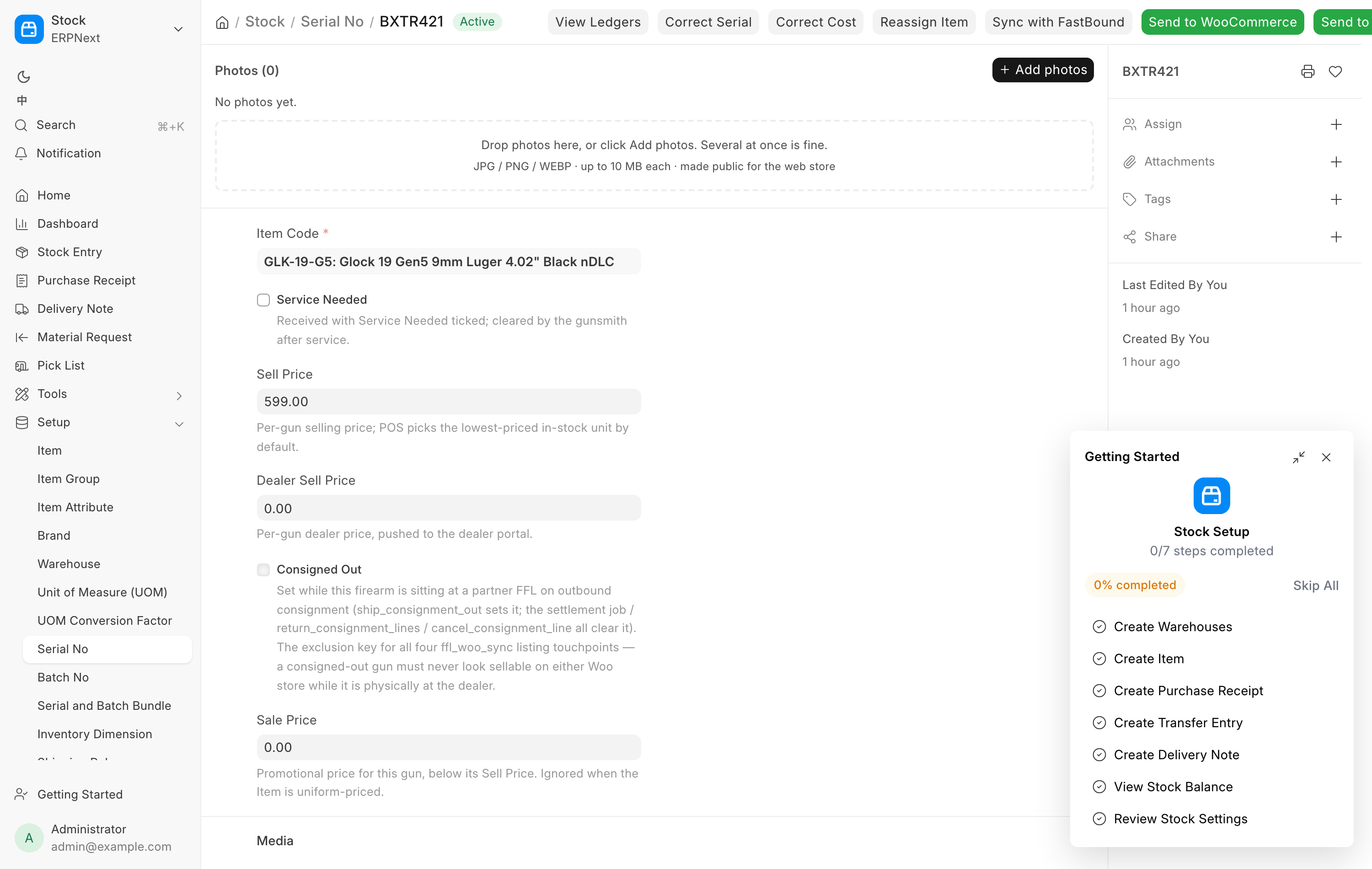
Send to GunBroker
Pressing Send to GunBroker opens a dialog. Everything about the listing is decided here, with the store's figures offered as the defaults.
| Field | Offered | What changing it does |
|---|---|---|
| Title | The item name, up to 75 characters | Leave it to follow the item name. A different title is saved on this gun and used from then on |
| Listing type | The default in Settings | Fixed Price or Auction. Recorded every time |
| Category | The model's GunBroker category, or the category map's choice | Lists the GunBroker categories next to it. A different choice is saved in the Item's GunBroker Category ID, so every gun of that model lists there |
| Fixed price | The gun's own GunBroker price, or the POS sell price | Leave it to follow the POS sell price, including later changes. A different figure is saved on this gun |
| Starting bid | The sell price | Auction only. Recorded on the gun |
| Reserve (optional) | Blank, meaning no reserve | GunBroker charges for a reserve, and refuses one on a 1-day or 3-day auction |
| Buy Now (optional) | Blank, meaning none | Must be at least the starting bid and the reserve |
| Auction length (days) | The default in Settings | Choose from 1, 3, 5, 7, 10 or 14 |
| If it does not sell | The default in Settings | Relist until sold hands the relist to GunBroker. Do not relist ends it at expiry |
| Free shipping (seller pays) | Ticked when this gun was last listed with free shipping | Ticked, the buyer pays nothing to ship and the shipping cost box disappears. Saved on the gun |
| Shipping cost (buyer pays) | The gun's own rate, or the store default for its type | Required unless free shipping is ticked. A different figure is saved on this gun and used from then on |
Category is read-only when there is only one choice. An antique, and a gun of a type the category map files under Curios & Relics by age, always list under their mapped category, so the dialog offers no other. A modern gun is never offered an antique or C&R category. When the gun does not list, the model's category is put back as it was. When it does, the change is noted on the Item, because it moves every gun of that model.
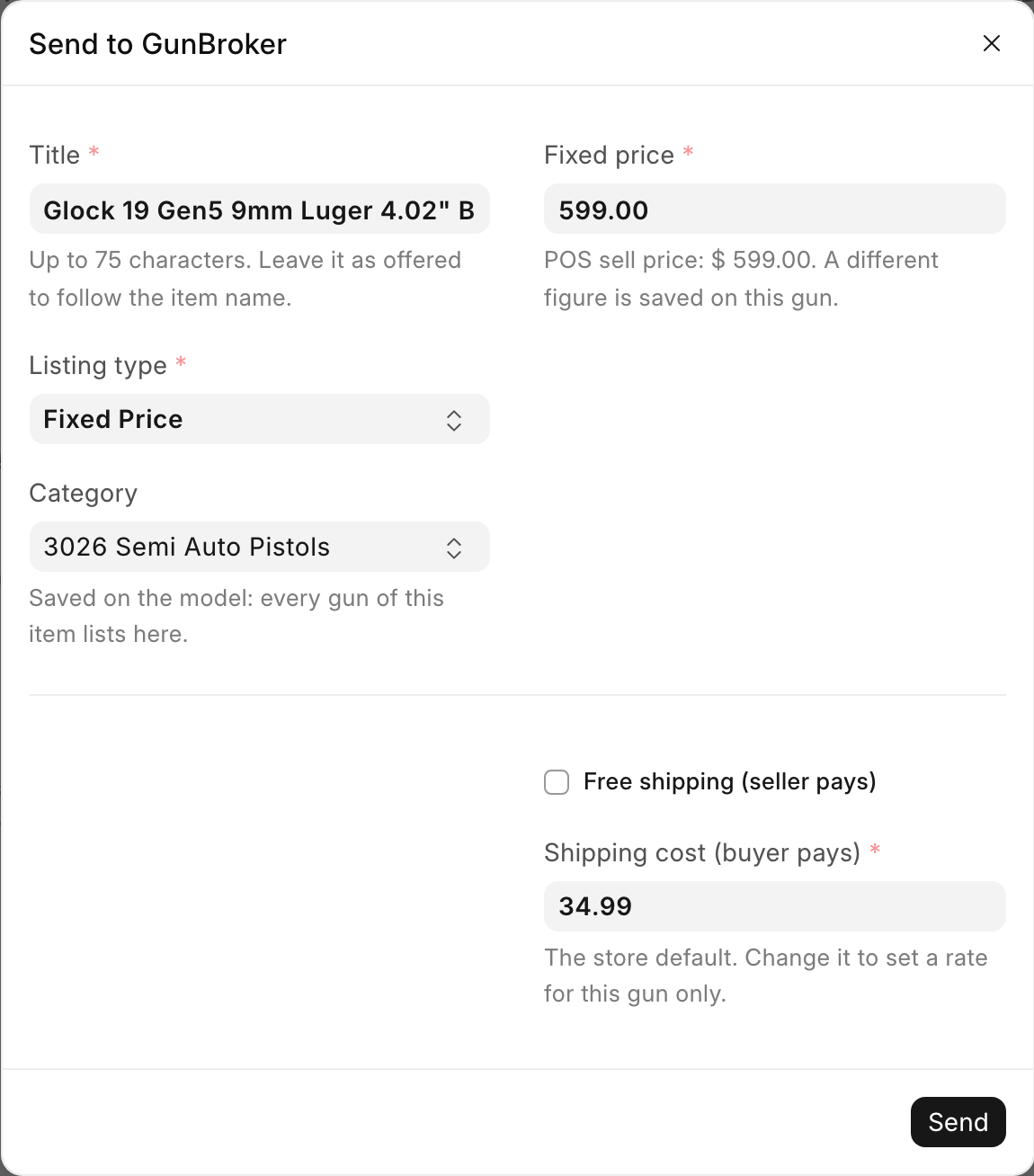
Press Send. On success you see the GunBroker item number. If the gun was already listed there, the message says so and links the existing listing rather than creating a second one.
The listing carries the model's UPC and MPN from the Item. GunBroker fills the listing's Manufacturer, Model and Caliber from its own catalog by UPC, and there is no other way to set them from the POS.
Some sends come back with notes, under the title "Listed, with notes". The listing is live, and each note tells you what to fix on GunBroker by hand.
| Note | What to do |
|---|---|
| No UPC, so GunBroker could not fill Manufacturer, Model and Caliber | Click open the listing in the note, then Edit and add them on GunBroker |
| The title was shortened to GunBroker's 75-character limit | Check the title reads well, or set a shorter one |
| Some photos were left off — the listing hit the per-listing picture limit | Nothing to fix. Put the best photos first in the gallery |
| The listing is live, but some of the extra photos failed to upload | Add them on GunBroker |
| A photo was skipped: GunBroker takes JPG, PNG and GIF only | Add that photo on GunBroker in one of those formats |
| A photo could not be read and was left off the listing | Check the photo on the Serial No |
| A note about an image or link in the description | Nothing. The description was made safe for buyers' browsers |
Changing a live listing
On a fixed-price listing, the price and the title follow the Serial No. Change the POS sell price, GunBroker Price or GunBroker Title on the gun and the listing updates by itself. The Send to GunBroker dialog is not offered again while the gun is listed, so to change the shipping, the category or the listing type, end the listing and send the gun again.
The other per-gun buttons
| Button | What it does |
|---|---|
| Reprice on GunBroker | Sends the current POS price to the listing. Refused on an auction, because the bidders set that price |
| GunBroker Status | Reads the listing and shows the POS state beside GunBroker's answer: the item number, whether it is active, whether it has a winning bid, the price GunBroker holds, and the last error |
| End GunBroker Listing | Asks you to confirm, then ends the listing and reads it back to check |
| Clear "Sold Unknown" | Appears only when the gun is flagged. Clears the flag so the gun can be sold again |
End GunBroker Listing warns you that relisting later creates a new listing with a new item number. When the system cannot confirm the end, it says so plainly and tells you to open the item on GunBroker and use End Item Early. Until you do, the gun can still be bought there while the POS treats it as unavailable.
Sold Unknown is a double-sale guard
When GunBroker cannot find a listing but reports the same SKU as sold, the POS locks the gun and flags it. Pressing Clear "Sold Unknown" states that you have looked at GunBroker and confirmed the gun was not sold there. A note describing what you checked is required, and it is recorded against the serial.
Auctions
An auction is the one listing that changes without the POS doing anything. The form shows an indicator reading "GunBroker auction" with the bid count and the end time. It turns red once there are bids.
The first bid promises the gun to the high bidder. GunBroker Bid Lock is ticked on the serial and the gun comes off the counter and off the web store at once. The counter picker will not offer it, checkout refuses it, and no channel can sell it. A bid watch runs every fifteen minutes, and the counter checks again at the till.
- A withdrawn bid releases the lock. The web listing does not go back up on its own. Press Send to WooCommerce on the gun.
- An auction that ends with no sale is not a fault. The serial records that the auction ended without a sale and the daily audit lists it. Send it again to relist.
- You cannot change an auction's price while it runs. To change a starting bid, end it and list it again.
- With bids on it, End GunBroker Listing is refused. Cancelling bids or selling early is a decision made on the GunBroker site, and the POS will not make it for you.
Sync with FastBound
The Serial No form also carries Sync with FastBound, which compares this gun's details against the bound book and lets you choose which side wins field by field. It has nothing to do with GunBroker. See FastBound.
Listing a model
Ammunition, optics and parts are listed by model, as one listing carrying the quantity in stock. Work from the Item form. Firearms are refused here, including uniform-priced ones.
Pressing Send to GunBroker on an Item asks only for the shipping rate. Model listings are always fixed price, because a GunBroker auction sells one thing.
| Button | What it does |
|---|---|
| Send to GunBroker | Creates the listing and reports the item number and quantity |
| Reprice on GunBroker | Sends the current price |
| Sync GunBroker Quantity | Repairs a count that has drifted. It tells you the number it sent |
| GunBroker Status | Shows local state, the item number, stock here, what was last sent, and what GunBroker answers for state, quantity and price |
| End GunBroker Listing | Ends the listing. It does not come back on its own, even when new stock arrives |
Quantity looks after itself. Every counter or web sale updates GunBroker. Selling out ends the listing, because GunBroker does not accept a quantity of zero, and new stock relists it. A listing a person ended by hand is never brought back automatically. The machine does not undo a human decision.
State Restrictions on the Item become the listing's excluded states. Leave it blank and the account's own excluded states apply.
Orders
The fifteen-minute poll
Every fifteen minutes the POS asks GunBroker for orders changed since its watermark and creates a GunBroker Order for each new one. The watermark is Orders synced up to (UTC) on the Connection tab, and it moves forward only after a whole batch is processed. Left blank, the first run starts from now and does not read back through history.
A new order rings the notifications bell: "New GunBroker order #…" with the buyer and the total. An order more than a week old, such as one read back by a back-fill, does not ring. See notifications.
Fifteen minutes is also the window in which a gun can be sold on GunBroker and still look available on your shelf. That window is what the counter's own check covers.
The GunBroker Order record
Open the list from GunBroker orders under Online in the sidebar. Almost every field on the record is written from GunBroker and read-only. It carries GunBroker's order number and status label, the buyer, the ship-to address, the receiving dealer's license and its eZ Check result, the amounts, the payment record, the invoice and journal links, and the tracking write-back.
The buyer is matched to an existing customer by GunBroker account first, then by email. A GunBroker ID kept from a customer merge counts too. A customer flagged as an FFL dealer is never reused for a GunBroker purchase. See Customers.
Status on the record is the store's own fulfillment state, not GunBroker's: Pending Fulfillment, Transferred or Cancelled. Transferred means the bound book exit is booked.
Working the order
The order appears on the Pending Order page. The usual sequence is below, and each step has a reason.
- Wait for payment. The buyer sends a certified check or money order. No card gateway is connected, so card payment is refused.
- Bank it and wait for the funds to clear. Do not ship on receipt of a check. Forged certified checks are the common fraud against GunBroker sellers.
- Press Mark Payment Received. Fill in the payment method, the cheque or money order number, the amount banked, and the day it went into the bank. That deposit date is not the day it arrived in the post.
- Wait for the receiving dealer's license. The system verifies it through eZ Check. Dispose stays disabled while the license is expired or unverified, with the hint "Verify the FFL first."
- Ship, before or after Dispose. Once payment is marked received, the license is verified and every unit has a gun, Ship sends the order to ShipStation, where you buy the label. Tracking goes back to GunBroker only after Dispose. A Type 03 collector order must be disposed first: its license is checked in the Dispose dialog.
- Press Dispose on the day you pack the gun. Dispose raises the invoice, posts to the general ledger, writes the bound book disposition and pushes to FastBound. All of that assumes the gun really left the building. When the order also carries ammunition or accessories, the dialog asks Where did these come from? with a location box for each line that sits in a store location. Leave a box blank if you are not sure. The line then goes on the Not placed list.
- If Dispose says the invoice did not post, click Create Invoice on the card. Ship comes back once it posts. See A GunBroker order is disposed but cannot ship.
GunBroker's own payment flag is a click on their website. It is recorded, and it is not what opens Dispose. Mark Payment Received records what actually reached the bank, and that is the gate.
Why there is no edit and no cancel
The Pending Order card offers neither for a GunBroker order. A GunBroker sale cannot be unwound from the seller's side, so the buttons are absent rather than present and refused. Cancellations and refunds start on GunBroker. See below.
Antiques and accessories
An order made entirely of pre-1899 antiques, with no dealer license on it, has no step 4. It ships to the buyer's own address, and Dispose issues the gun out of stock without writing the bound book or pushing FastBound. Mix an antique with a regulated gun, or let the buyer supply a license number, and the whole order ships to the receiving FFL.
An ammunition or accessory order has no serials. The card shows quantity lines, and Dispose issues the goods out of stock without touching the bound book. Unless the order also carries a gun, or the buyer gave a license number, it ships to the buyer directly, and the dispose dialog says "Ships to: the buyer directly — nothing here needs an FFL". It still asks where the goods came from.
The counter conflict
When somebody scans a gun at the counter, the POS asks GunBroker once whether that gun already has a buyer.
- GunBroker says it is sold. The counter cannot sell it. This is a hard block, not a warning. The GunBroker buyer paid first. Explain that the gun sold online and offer something else in stock.
- GunBroker does not answer in time. The counter sells as normal. An outage at GunBroker must not stop business in the shop. If a genuine collision results, treat it as a refund case with your accountant.
The budget for that check is shared across the whole invoice, not spent per gun. It is Counter check budget (s) on the Advanced tab.
Returns and cancellations
Start on GunBroker every time and let the POS mirror what happens there. There is deliberately no button in the POS that refunds a GunBroker order. Sales tax on these orders is collected and filed by GunBroker under its own license, so only their process makes the state filing move with the refund.
When the POS detects a cancellation, refund or return on the GunBroker side it raises an alert and changes no accounts.
- The gun has not shipped. Release the reservation. If money was taken, the accounting correction is two entries, and you must then fill in Refund Handled At on the GunBroker Order. Leave it blank and the order keeps appearing in the morning alert.
- The gun has shipped and comes back whole. It must be acquired back into the bound book. The gun is in your safe while the book says somebody else has it, and that is a federal recordkeeping problem, not a bookkeeping detail.
- A consignment gun. The system refuses the return.
Daily checks
The daily audit sends one email per category. The last two rows below come from the hourly listing sweep instead. These are money or guns going wrong, not noise.
| Alert | What it means | Who handles it |
|---|---|---|
| Disposed but not invoiced | The gun left and the book was written, revenue was not recorded | Operations |
| Paid a long time and not disposed | Stuck waiting for an FFL, or forgotten | Operations |
| Cancelled, refunded or returned on GunBroker while the invoice stands | See returns above | Operations and accounting |
| Chargeback | A payment was reversed | Accounting |
| One order failing to sync repeatedly | That order will not sync again on its own | Lead |
| A listing ended outside the POS | Somebody ended it, or GunBroker did | Operations, confirm why |
| Two live listings for the same gun | Double-sale risk | End the extra one at once |
| A cancelled invoice still carrying fee accrual | The automatic reversal failed | Accounting |
Do not do these
- Do not change a price on the GunBroker site. The next push from the POS overwrites it. Change prices in the POS.
- Do not create a listing by hand on the GunBroker site. The POS will not recognize it, stock will not match, and it can still be bought.
- Do not press End again because the in-progress list still shows a finished listing. That list is eventually consistent. Judge by the single item's own status and wait a few minutes.
- Do not relist because the item number changed. GunBroker mints a new number every thirty days when it renews a listing. The POS recognizes its own listings by SKU and adopts the new number by itself.
- Do not switch End listings via back to Delete Endpoint after a permission alert. A 403 from GunBroker moves the setting to Manual Only on purpose. Confirm with GunBroker support first. Trying it costs another double sale.
Troubleshooting
| Message you see | What it means | Fix |
|---|---|---|
| No GunBroker category is configured for firearm type … | No category is mapped for this gun or model | Add a row to the category map in GunBroker Settings, or set the Item's GunBroker Category ID |
| No GunBroker antique category is configured for firearm type … | An antique never takes the modern category | Add a row flagged Antique to the category map, or set the Item's GunBroker Category ID |
| GunBroker category … is not one this gun can be listed under | The category list changed while the dialog was open | Close the dialog and press Send to GunBroker again |
| This gun has no GunBroker shipping cost of its own and the long gun / handgun default is not set | The buyer would pay $0 to ship a firearm | Type a shipping cost, tick free shipping, or set the default in GunBroker Settings |
| No sell price is set, so there is nothing to send | The record is un-priced | Price it in the POS, then send again |
| This gun is on GunBroker as an auction, so its price is set by the bidders | You pressed Reprice on GunBroker on an auction | End the auction and list it again to change the opening figure |
| GunBroker cannot find this listing but shows the same SKU as sold | The gun may already have been bought | Check GunBroker. If it was not sold, use Clear "Sold Unknown" |
| End it on GunBroker by hand | The end was sent and not confirmed, or the setting says manual | Open the item on GunBroker and use End Item Early. Until then it can be bought |
| … came in on consignment but has no consignor recorded … | A consigned gun has no Consignor | Set the Consignor on the Serial No, then send again |
| The GunBroker buttons are missing | The integration is switched off, or the record is the wrong kind | Guns list from the Serial No form, models from the Item form. Check Integrations |