Sales Report
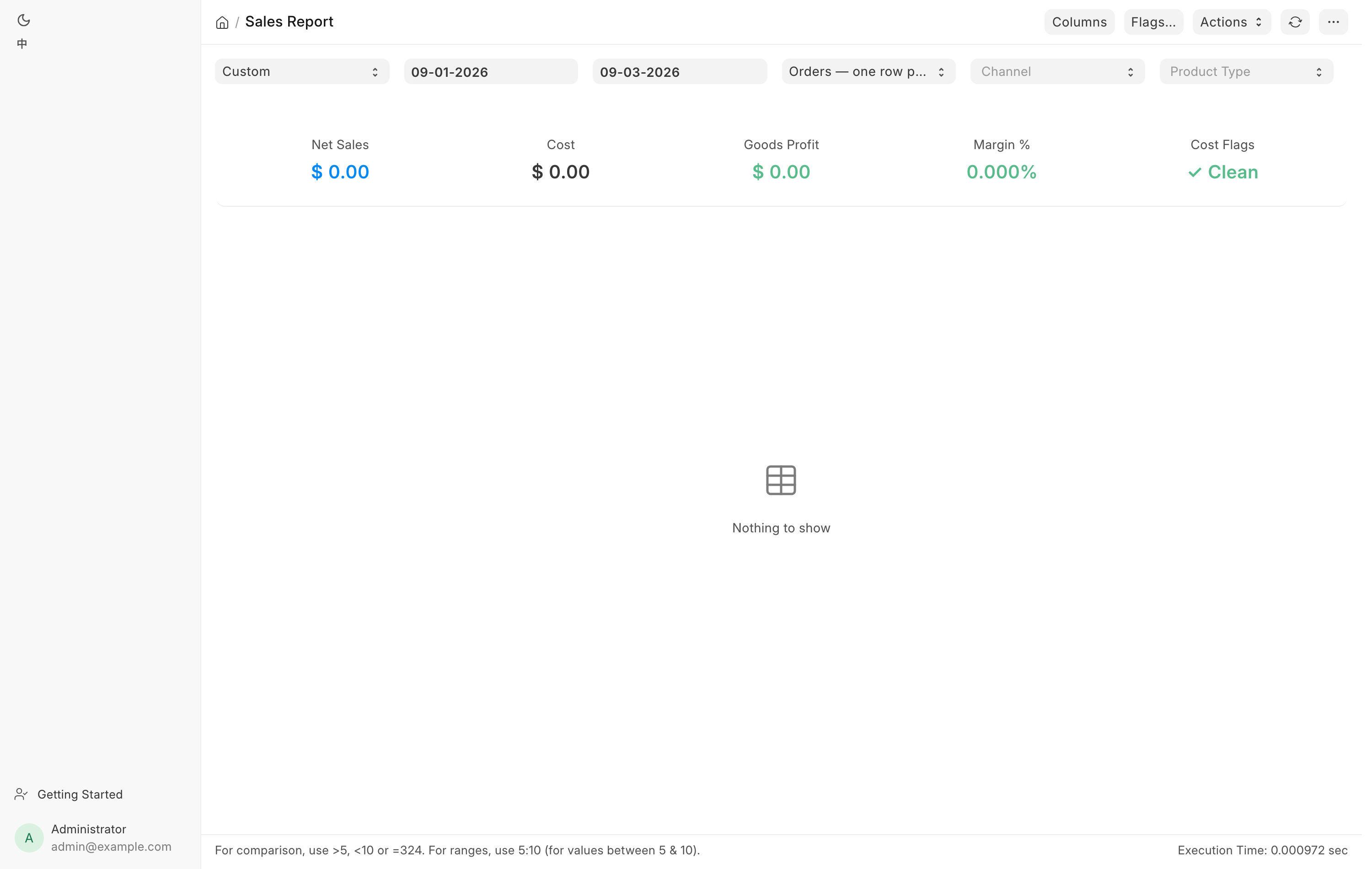
Revenue and profit for a date range, across every channel. Managers read it
daily, the bookkeeper reads it at month end. Open it at
/app/query-report/Sales Report.
What it counts
Sales fan out across two document types, so the report reads the union of both and counts each sale exactly once:
- POS Invoice, submitted, for counter sales. Channel POS.
- Sales Invoice, submitted and not consolidated, for everything raised as an order. Channel Web, GunBroker or Manual depending on where the order came from.
Consolidated Sales Invoices are excluded. Those are the nightly roll-ups of POS Invoices the report has already counted, so including them would double the day. The practical effect is that today's counter sales appear immediately, before the nightly close has consolidated them.
Filters
| Filter | What it does |
|---|---|
| Period | Today, This Week, This Month, Last Month, This Quarter, Year to Date. Fills From and To. |
| From, To | The posting-date range. Both are required. Editing either puts Period back to Custom. |
| View | Orders (one row per sale), Orders + line detail, or Tax lines (CSV export). |
| Channel | Blank for all, or POS, Web, GunBroker, Manual. |
| Product Type | Blank for all, or Firearms, Non-Firearms. |
Product Type is judged per invoice, not per line: an invoice with any firearm line counts as Firearms. A value the report does not recognize is refused rather than ignored, so an unfiltered total can never be mistaken for a filtered one.
The three views
Orders is the default and gives one row per sale. This is the view a manager reads.
Orders + line detail renders the same orders as a master grid, and each row carries a Lines cell. Click it to open that order's product, shipping and tax lines in a dialog. Column sorting is switched off in this view.
Tax lines is a flat, one-row-per-line table built for the bookkeeper's tax worksheet. It adds per-line tax read from the invoice's own tax detail, an order-level shipping row, and an unclassified-charge row for any tax account that is neither sales tax nor shipping. Its CSV export always contains the full tax column set regardless of what you have hidden on screen.
The columns
The Orders view has seventeen columns in this order: Date, Invoice, Order Ref, Channel, Customer, Serial, Category, Qty, Net Sales, Cost, Profit, Margin %, Channel Fees, Profit after Fees, Trade-in Applied, Trade-in Paid Out, Total.
Order Ref is the storefront order number for a web or marketplace sale and shows a dash for a counter sale. Serial lists the guns on the invoice. Category is the line's Item Group, or Mixed when the invoice spans more than one group. Channel Fees is the marketplace's cut, and Profit after Fees is what is left after it. Trade-in Applied is the trade-in allowance that came off the taxable goods, and Trade-in Paid Out is what the store paid the customer on a ticket whose trade-ins came to more than the sale. Both read zero on an ordinary sale. Total is the grand total actually charged.
Click Columns on the toolbar to choose what shows. Total, Channel Fees, Profit after Fees, Trade-in Applied and Trade-in Paid Out start hidden in the Orders view, and are always in the export. Your choice is remembered per view, on this browser, and Reset to default puts back the curated set rather than showing everything. The Invoice column cannot be hidden.
The summary cards
The Orders view shows five cards: Net Sales, Cost, Goods Profit, Margin % and Cost Flags. The two product-level views show seven, adding Sales Tax and Shipping, and rename the flag card Data Flags. Narrow the Channel filter to GunBroker in a product view and an eighth card appears, Marketplace sales (TX), which is the figure the state return needs. The state in brackets is the store's own state.
Sales Tax is all the sales tax the store charged in the period, including the tax on shipping. It leaves out tax a marketplace such as GunBroker collected. It should equal the period's Sales Tax Payable credits from sales invoices, so never add shipping tax on top of it. See Month-end close.
A flag card reading Clean in green means zero flagged rows. Anything else is red and counts rows you should look at before citing the report.
How margin is calculated
Nothing stores cost on an invoice line, so the report computes it per line:
| Line | Cost used |
|---|---|
| Trade-in credit | Zero. The allowance buys a gun into inventory; it is not a cost of this sale. |
| Consigned gun | Net times one minus the commission rate, so profit equals the commission we earn. |
| Firearm | The sum of the purchase price recorded on each serial on the line. |
| Anything else | Signed quantity times the item's moving-average cost in that warehouse. |
Profit is Net Sales minus Cost. Margin % is profit divided by Net Sales. Both are pre-tax.
Net Sales is gross of trade-in credits. A $1,300 gun sold against an $800 trade-in reports Net Sales of $1,300 and the gun's own cost, not $500 against a reduced cost. Profit comes out the same either way, but margin keeps an honest base: on the netted figure a 15% gun would read about 39%.
Drilling through
The Invoice column is a live link. Click it to open the POS Invoice or Sales Invoice behind the row. Customer and the serial links open their own records. In the Orders + line detail view, click a row's Lines cell to see the line breakdown without leaving the report. On a ticket where the trade-ins came to more than the sale, the breakdown also shows Paid to customer.
Traps a manager should know
Report Net Sales is higher than the general ledger income account by exactly the period's trade-in allowances. That is the gross-of-trade-in rule above. Profit still ties to the ledger.
Do not reconcile the Cost column against ledger cost of goods sold for non-serialized lines. The ledger books those at their actual first-in first-out cost while the report estimates them from the bin's moving average. The two are naturally different, and the gap grows as ammunition volume grows.
Flagged cost is understated cost. The warning symbol on a row means a firearm on that sale has no recorded purchase price, so cost and profit are both too favorable. Fix the serial's cost before quoting the number. Click Flags… on the toolbar for the full legend:
| Symbol | Meaning |
|---|---|
| Warning, orange | Cost understated, or per-line tax disagrees with the charged sales tax |
| Dot, orange | A charge on an account that is neither sales tax nor shipping |
| Half circle, blue | Trade-in allowance on this sale |
| Triangle, teal | Consigned gun, so the profit shown is our commission |
A refunded web order comes off its own lines. A web refund takes the refunded sales tax and shipping off the invoice's tax and shipping lines rather than off the goods, so in a month with refunds the Tax lines view shows lower tax and shipping, not a goods discount.
A GunBroker sale shows zero sales tax and that is correct. GunBroker collects and remits as the marketplace provider under its own license, so the tax lands on a marketplace liability account instead. Chasing every in-state GunBroker order as a missing-tax exception would flag all of them.
Marketplace fees are an expense, not cost of goods. They sit in the Channel Fees column, never inside Cost, so the same gun costs the same whether it sold at the counter or on GunBroker.
Before you cite this report for a filing, the Cost Flags or Data Flags card must read Clean.