Customer transfers
A customer buys a gun somewhere else, has it shipped to this store, and collects it here. The store runs the Form 4473 and the background check and charges a transfer fee. The gun is never sold by this store, because it already belongs to the customer.
Before you start
- The gun has to be received first, through Receive Goods, at a cost of $0.
- On that Receive Goods line, fill in Transfer for Customer. That single field is what puts the gun on the pickup queue and links it to the person coming to collect it.
- You need a role that can run a 4473: Sales User, Sales Manager or System Manager.
- The customer must not be an FFL dealer. Dealer-to-dealer shipments are a different flow.
Federal recordkeeping
A transfer to a private individual is a disposition out of this store's bound book and needs a 4473 and a background check exactly like a sale. The only difference is the money.
Steps
- At the register, pick the customer collecting the gun.
- Click the purple Transfer (4473) button on the cart, above Checkout. It sits there rather than on the payment screen because a transfer starts from an empty cart.
- In the Customer Transfer (4473) dialog, scan or type the serial of each firearm the customer is transferring in, pressing Enter after each one. Typing a few characters filters the in-stock list. Each gun you add appears in a list underneath with an ✕ to remove it.
- Check Transfer Fee (per firearm). It is prefilled from settings and you can change it for this ticket.
- Click Open FastBound. In Paper 4473 Mode the button reads Start Transfer instead.
- Complete the 4473 and the background check, in FastBound or on paper.
- Reopen the order from Recent Orders with the status filter on Draft, take the fee, and click Complete Order.
What the system does
The order is built on the server, not in the cart:
- One line per gun at $0, because the customer already owns it. Those lines exist so the gun runs through the same 4473, disposition and stock-out machinery as a sale.
- One Transfer Fee line, with a quantity equal to the number of guns.
- The order is flagged as a transfer, which is why the register does not ask you to price the firearm lines.
- The 4473 starts, FastBound opens in a new tab, and the order parks as a Draft.
Where the fee comes from
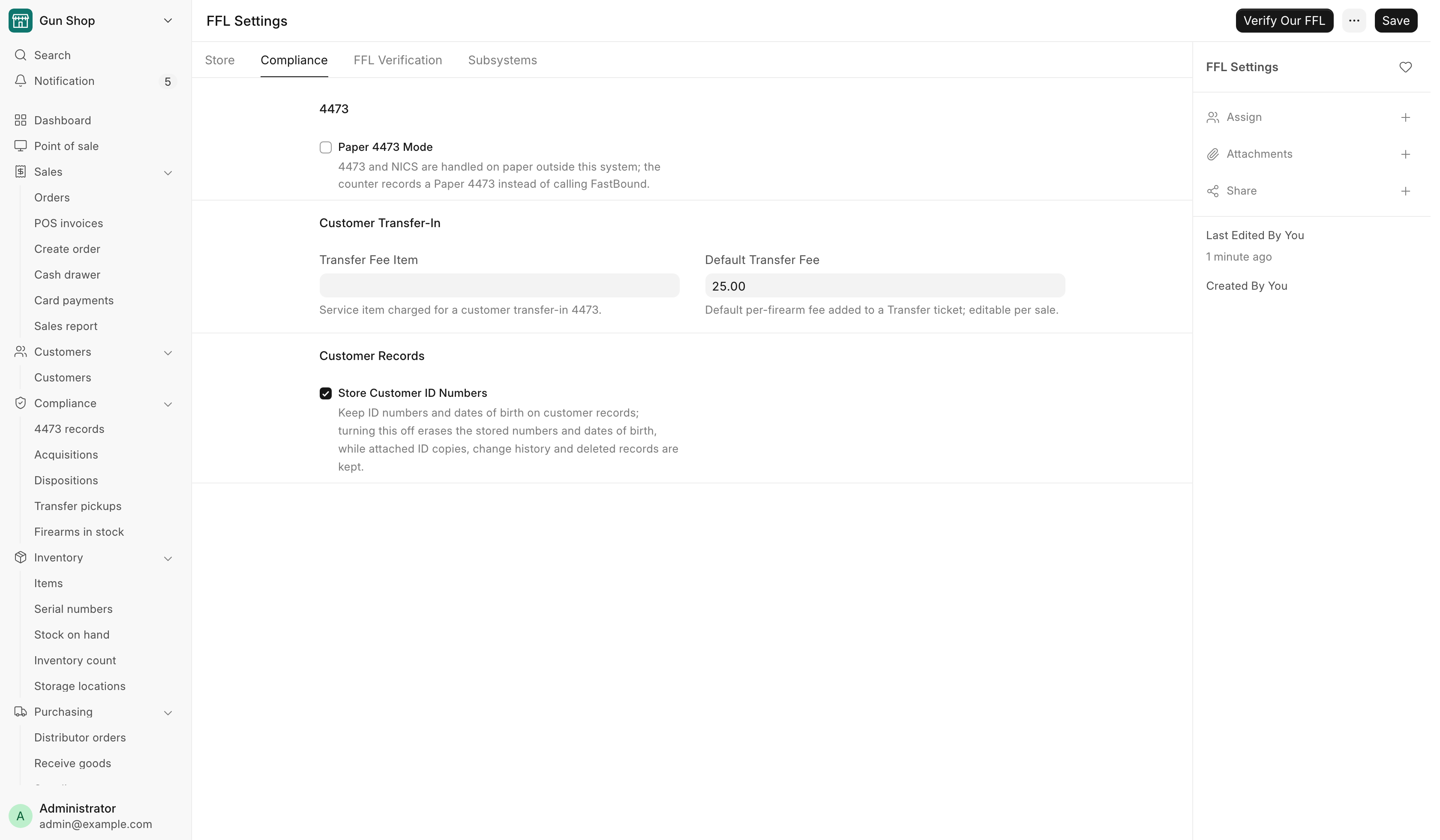
Both values live in FFL Settings, on the Compliance tab under Customer Transfer-In:
| Field | What it is |
|---|---|
| Transfer Fee Item | The service item charged for a customer transfer-in 4473. It is a non-stock, non-firearm service item, created automatically the first time the transfer dialog is used. |
| Default Transfer Fee | The per-firearm amount put on a transfer ticket. Editable on each sale. |
Pending Transfer Pickups
Guns received for a customer sit in the safe until somebody comes for them. The Waiting on pickup card on the Dashboard shows the four that have waited longest, and turns a gun amber past 21 days. View all on the card, or Transfer pickups in the sidebar's Compliance group, opens the whole Pending Transfer Pickups report: the chase list. Daily checks covers every column and how to work it.
One thing decides whether a gun reaches that list at all: Transfer for Customer on the receiving line. Leave it blank and the gun never appears. The row clears itself the moment the serial leaves stock.
The NICS Cleared Pickup email
A transfer ticket rings the same NICS notifications as a sale: Proceed, Delayed or Denied, and again when a delayed check clears. See Notifications.
A check that came back Delayed and later proceeds also emails the customer once to say the firearm is ready to collect. See the NICS Cleared Pickup email for which address it uses and when nothing is sent.
Troubleshooting
| Message you see | What it means | Fix |
|---|---|---|
| No firearms in stock | Nothing in stock can be transferred | Receive the customer's firearm first through Receive Goods at cost $0 |
| Not for dealer transfers | The customer is flagged as an FFL dealer | A counter 4473 transfer is for individuals. Handle a dealer shipment through the bound-book disposition |
| Customer required | No customer on the cart | Pick the customer receiving the transfer, then click Transfer (4473) |
| A serial is not an in-stock firearm serial | Typo, or the gun was never received | Check the serial and that the gun is booked in |
| A serial is already added | You scanned the same gun twice | Nothing to fix. It is on the list once |
| The gun is missing from the picker | It is already on this order | Look at the list of added guns and the cart |