Integration settings
One page per outside system, all of them System Manager only. Every one of these forms holds credentials, so treat the page like the keys to the store.
Never read a secret back out
API keys, passwords and webhook secrets are stored encrypted and are meant to be written once. Do not copy them into a message, a ticket or a document. If a credential is wrong, replace it rather than reading it.
Each section below names the route, what the page connects to, the fields an operator actually touches, which buttons test it, and where the status and last-error fields live.
FastBound Settings
/app/fastbound-settings. Connects to FastBound, the electronic bound book
and the place 4473s are completed. See FastBound.
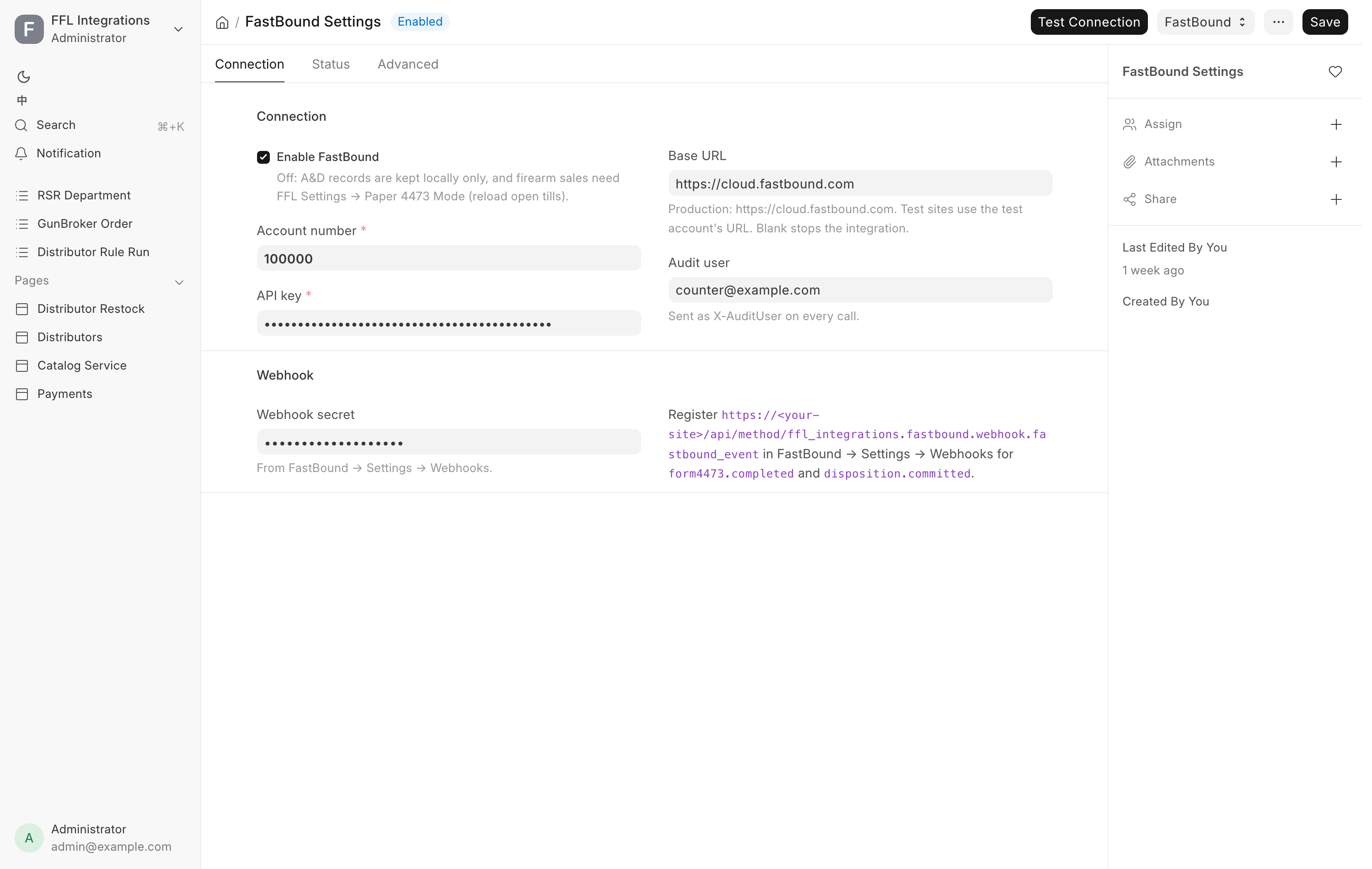
Connection tab. Enable FastBound is the master switch. Turn it off and
A&D records are kept locally only, and firearm sales then need Paper 4473 Mode
in FFL Settings, with open tills reloaded. Account number
is the FastBound account. API key is the credential. Base URL is
https://cloud.fastbound.com in production, and a blank value stops the
integration. Audit user is the identity sent with every call, so FastBound's
own audit trail can attribute what we did.
Webhook section. Webhook secret comes from FastBound's own Settings then Webhooks page. The form prints the webhook URL to register there.
Status tab. Last import, Items imported and Import errors record the last bound-book import. Acquisition types, Disposition types and Lists synced at are the cached FastBound pick lists, refreshed by the button below.
Advanced tab. Look up FFL on push is on by default and should stay on outside a test account. Request Timeout (s) defaults to 30.
Buttons. Test Connection on the toolbar. Under a FastBound menu: Sync FastBound Lists refreshes the cached types, and Import Bound Book pulls items in.
Payroc Settings
/app/payroc-settings. Connects to the Payroc card gateway and the physical
terminal at the counter. See Taking payment.
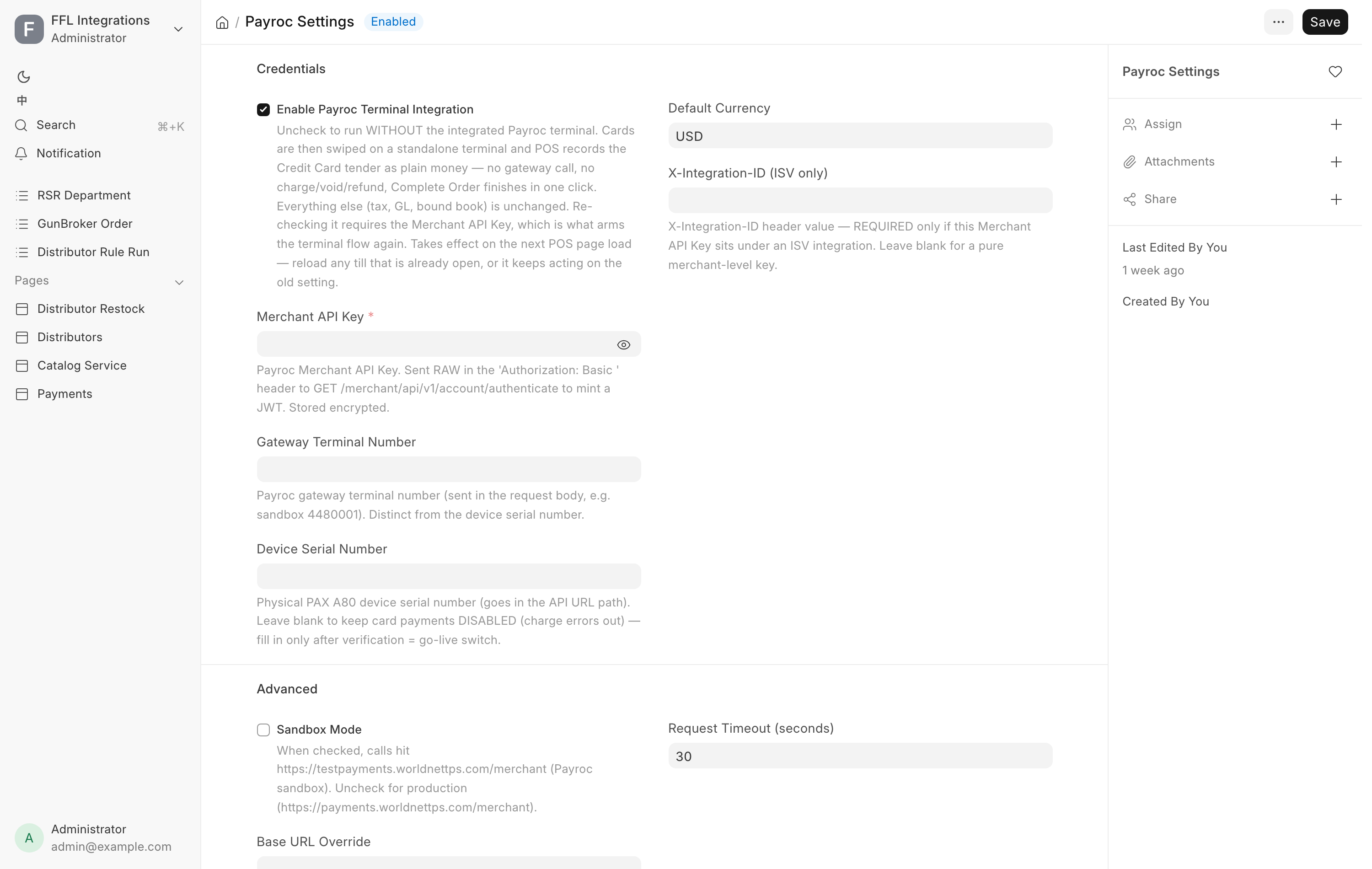
Credentials. Enable Payroc Terminal Integration is the master switch. Untick it to run without the integrated terminal, in which case cards are swiped on a standalone terminal and the register records the Credit Card tender as plain tender. Require Card Reference (manual terminal) applies only in that standalone mode and is on by default: a card sale or refund cannot complete until the terminal's approval code is typed in. Merchant API Key is the credential. Gateway Terminal Number is the gateway's terminal number, which is not the same thing as the device serial. Device Serial Number is the physical terminal's serial and goes in the request path. Leave it blank and card payments stay disabled, and a charge attempt errors out. Fill it in only after the terminal is paired. Default Currency is USD. X-Integration-ID (ISV only) is needed only when the merchant key sits under a software vendor's integration, and stays blank for a plain merchant key.
Advanced. Sandbox Mode points the calls at the Payroc test host. Untick it for production. Base URL Override and Request Timeout (seconds) are there for unusual setups.
With Enable Payroc Terminal Integration unticked, the Card payments row leaves the Gun Shop sidebar.
Status. Last Token Refreshed At and Last Charge At are read-only.
Buttons. This form has no toolbar test. Test the processor from the
Payments hub at /app/payment-hub, where each processor card carries a
Test Connection button, an Enabled toggle and a Credentials button that
opens this form.
RSR Settings
/app/rsr-settings, also opened by Account & shipping on the RSR card of the
Distributors hub. Connects to RSR Group's Direct
Connect ordering interface and holds the freight rates the fulfillment plan
estimates with. The RSR catalog reaches the store through Data Service, not
through this page. See Distributors.
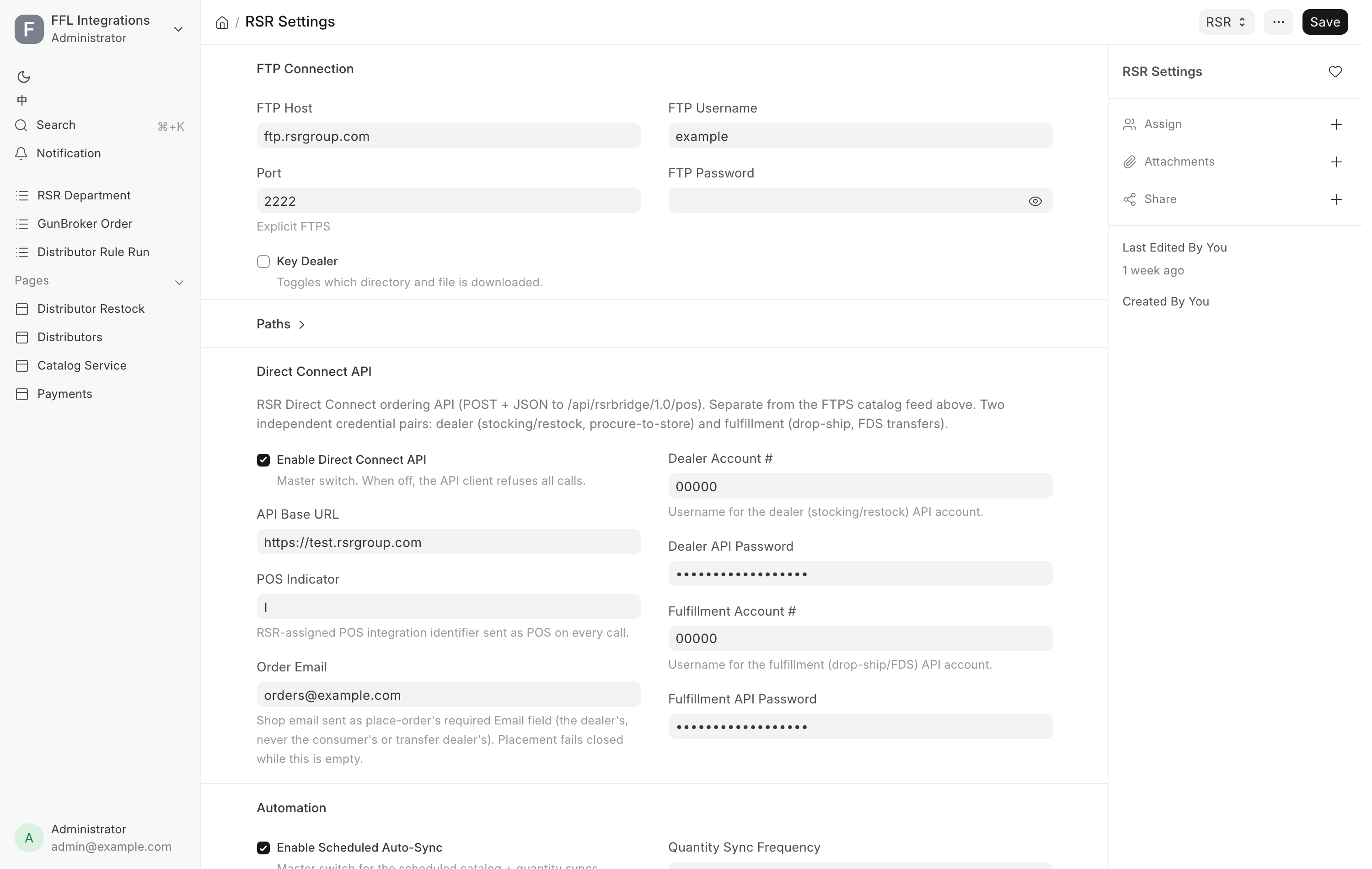
Account tab. Allow live orders is the master switch for ordering, off by default. While it is off nothing is sent to RSR, and the catalog still syncs. There are two separate credential pairs: Dealer account # with Dealer API password for stocking and procure-to-store orders, and Fulfillment account # with Fulfillment API password for drop-ship. Leave the fulfillment account blank and drop-ship is unavailable. The collapsed Advanced section holds API base URL, RSR's production server by default. RSR's testing environment is test.rsrgroup.com.
Ordering tab. Two fields go out with every order. POS indicator is the code RSR assigned to this integration. Order email is the shop's own email, which RSR requires, and placing an order fails while it is blank. With Allow live orders on, the form will not save without Dealer account #, POS indicator and Order email.
Freight tab. The rates the Create Order fulfillment plan estimates RSR freight with. The freight RSR invoices always replaces the estimate.
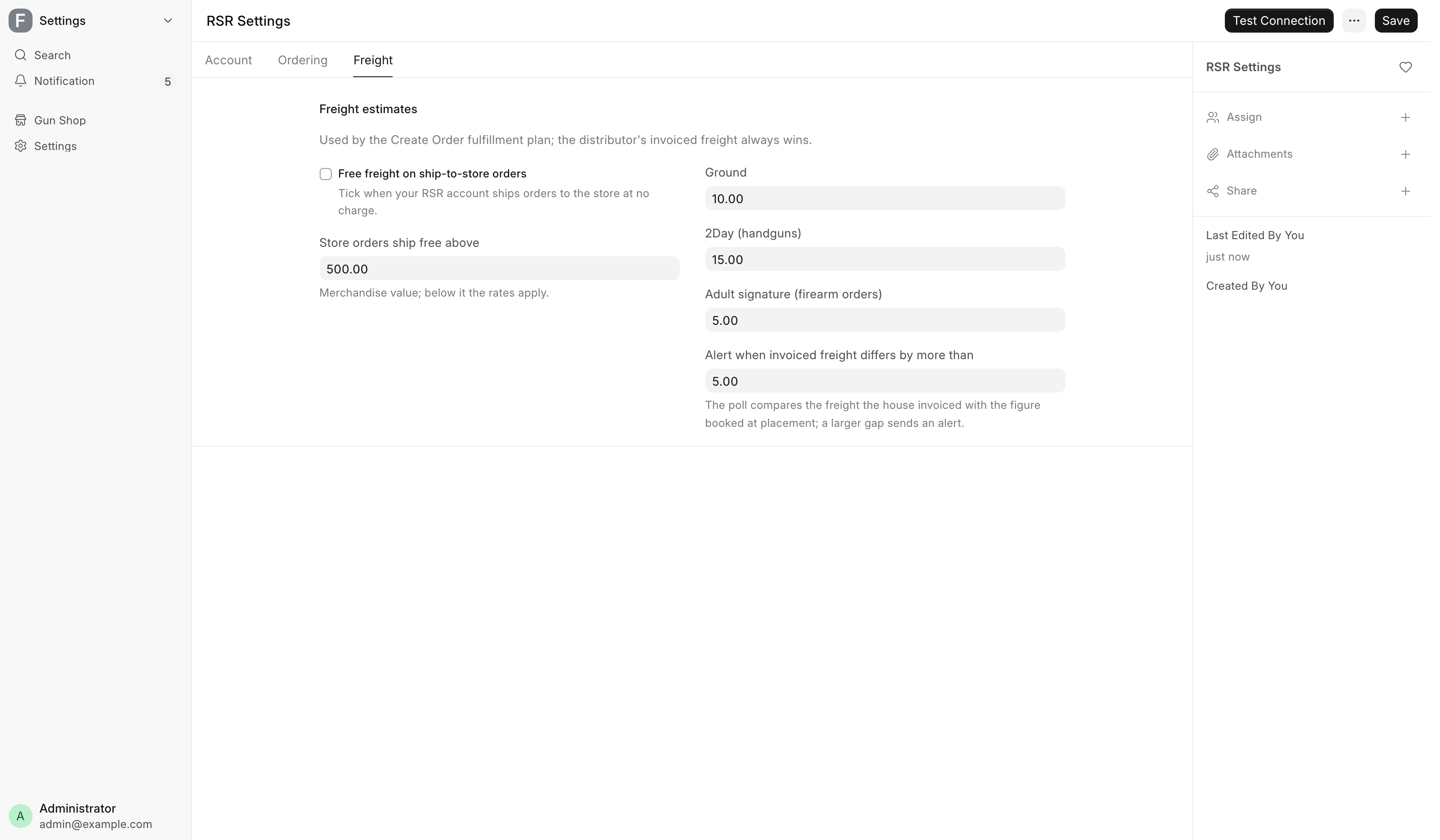
Tick Free freight on ship-to-store orders when your RSR account ships to the store at no charge, and orders to the store then estimate at nothing. Otherwise an order to the store ships free when its merchandise is above Store orders ship free above, 500.00 by default, and pays the rate when it is not. The rate is Ground, 10.00 by default, or 2Day (handguns), 15.00, when the order holds a handgun. A drop-ship order always pays the rate. A firearm order adds Adult signature (firearm orders), 5.00, except on a store order with free freight ticked. The RSR card on the hub reads the store rule back as Ship to store: free or free over the threshold. Alert when invoiced freight differs by more than, 5.00 by default, sends an alert when the freight RSR invoices is further than that from the estimate booked when the order was placed.
Buttons. Test Connection on the toolbar checks the catalog service. With Allow live orders on, it also signs in to RSR with each account number you filled in, and flags a blank Order email. It places no order. The RSR card on the Distributors hub runs the same test.
Sports South Settings
/app/sports-south-settings, also opened by Account & shipping on the Sports
South card of the Distributors hub. Connects to Sports
South's ordering services. It holds the account, what goes out with each order,
where orders to the store ship, and the freight rates. The catalog reaches the
store through Data Service. The page has four tabs: Account, Ordering, Freight
and Status.
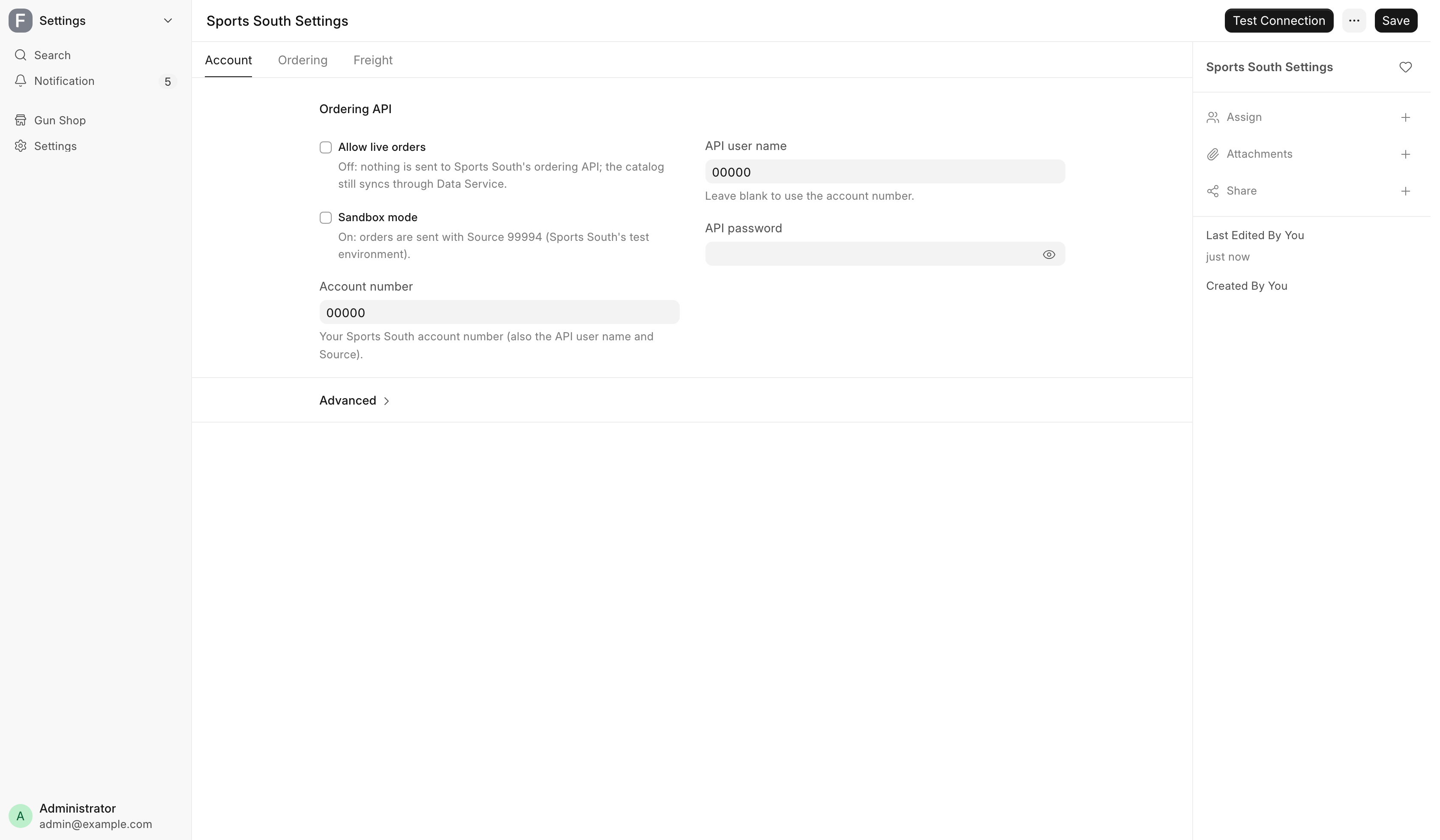
Account tab. Allow live orders is the master switch, off by default. While it is off nothing is sent to Sports South's ordering API, and the catalog still syncs. Sandbox mode sends orders with Source 99994, Sports South's test environment, and a blue banner on the form says so while ordering is on. Account number is your Sports South account number, which also serves as the API user name and Source. Leave API user name blank to use the account number. API password is the credential. With Allow live orders on, the form will not save without Account number and API password. The collapsed Advanced section holds API base URL.
Ordering tab. Five sections.
- FFL email and sales message. Email the transfer FFL automatically is on by default. After a firearm order is submitted, it emails the transfer dealer's FFL copy to Sports South fulfillment email. Sports South requires that copy within three business days. CC on FFL emails is an optional shop mailbox that keeps a copy. Sales message on every order is an optional note to your sales representative.
- Ship codes. Ground ship code defaults to G, Ground Premium, for long guns, ammunition and accessories. 2-Day Air ship code defaults to 2 and goes on any order with a handgun, because handguns ship by air only. N is Next-Day Air. Tick Accessory / ammunition orders ship Ground Economy to send non-firearm orders by discount carriers for $7.95, with no claims, traces, address changes or intercepts.
- Firearm orders — delivery options and Accessory / ammunition orders — delivery options. Signature, Adult signature and Insurance for each kind of order, all off by default. Without insurance, carrier claims cap at $100.
- Price check. Sports South charges its current price, not the price on the order. Alert when the filled price exceeds the quote by sends an alert past that difference, 2% by default.
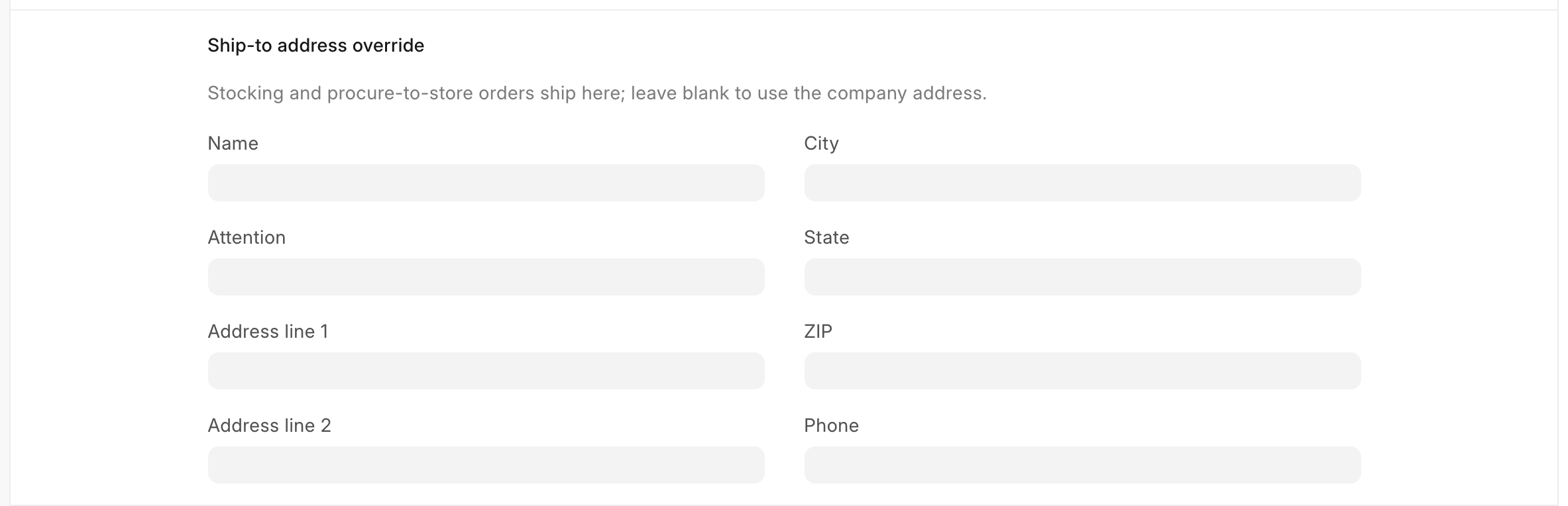
- Ship-to address override. Where stocking and procure-to-store orders ship. See below.
Ship-to address override. Leave every field in this section blank and stocking and procure-to-store orders ship to the company's own address, the one your receipts print. Fill in any field and the whole section becomes the destination instead. It is never mixed with the company address, so an override needs at least Address line 1, City, State as two letters, and ZIP. If the address in use is incomplete, placing the order fails with an error rather than shipping somewhere unverified.
Freight tab. Estimates only. The freight on Sports South's invoice replaces them once the parcel ships. The first section holds one flat rate per service, from Handgun, 2-Day Air to Next-Day Air. Per-order fees holds Signature, Adult signature, Insurance, % of order and Insurance minimum, added to a drop-ship estimate when the matching delivery option on the Ordering tab is ticked. Shipped to the store holds the rule for orders to the shop:
| An order to the store holding | Ships free from | Otherwise pays |
|---|---|---|
| Handguns | 3 handguns, or 750.00 of handguns | Handgun, 2-Day Air |
| Long guns, ammunition and accessories | 500.00 | 5.00, Long guns / ammo / accessories below that |
Those are the defaults. An order holding both pays the higher of the two charges. Sports South orders to the store use this rule on the Distributor Order too. Only the air upgrades keep the flat rates above. The Sports South card on the hub reads the rule back in one line. Alert when invoiced freight differs by more than, 5.00 by default, works as it does for RSR.
Status tab. Credits polled through and Last credit poll track the daily credit memo poll, which books Sports South's credits for short-shipped lines against their Distributor Orders. Last error holds the poll's last failure. All three are read-only, and the tab appears once one of them has a value.
Buttons. Test Connection on the toolbar checks the catalog service. With Allow live orders on, it also flags an empty ship code and signs in to Sports South's ordering API. It places no order.
| Message you see | What it means | Fix |
|---|---|---|
| Sports South Settings: the ship-to address override (Ordering tab) is incomplete | Some override fields are filled, not a full address | Complete the override, or clear every field |
| The company address of … is incomplete | No override, and the company address lacks street, city, state or ZIP | Complete the company's address, or fill in the override |
| Ground ship code is empty — placement fails until it is set | Saved with ordering on and no ship code | Enter G for Ground and 2 for 2-Day Air |
| Automatic FFL emails need a Sports South fulfillment email address | FFL emails are on with nowhere to send them | Enter the address, or untick the automatic email |
The first two appear in the Error field of a Sports South Distributor Order that failed to place.
Lipseys Settings
/app/lipseys-settings, also opened by Account & shipping on the Lipsey's
card of the Distributors hub. Connects to Lipsey's
ordering API. The catalog reaches the store through Data Service, or, with a
Local catalog, from Lipsey's own feeds
with the dealer login. The page has four tabs: Account, Ordering, Freight and Status.
Lipsey's lets in only computers it has approved, so the API must be reached from the address you gave Lipsey's when you asked for API access.
Account tab. Allow live orders is the master switch, off by default. While it is off nothing is sent to Lipsey's, and the catalog still syncs. Customer number is optional: it is the dealer account's number, and filled in, a dealer login that answers for another Lipsey's account is refused. The drop-ship login is a separate Lipsey's account with its own number and is not checked against it. Dealer login holds the Email and Password you sign in to Lipsey's with. Stocking and procure-to-store orders are placed with it and ship to the address on that Lipsey's account, so the POS sends no address. With Allow live orders on, the form will not save without them. Drop-ship login is Lipsey's separate drop-ship account. Until it is filled in, the hub and the planner offer no drop-ship for Lipsey's. With a Local catalog, saving this page is also the retry after Lipsey's refused the dealer login: the catalog stops dialing until then. The collapsed Advanced section holds API base URL.
Ordering tab. No confirmation email from Lipsey's stops Lipsey's own order email for orders placed from the POS. Leave it off: that email is how you check an order whose answer never came back. Tick Accessory drop-ship orders ship overnight to ask Lipsey's for overnight shipping on accessory drop-ship orders. Lipsey's bills those at overnight rates, so the POS gives no freight estimate for them.
Freight tab. The flat rates Create Order estimates Lipsey's drop-ship freight with: Drop-ship firearm order, 9.95 by default with adult signature included, and Drop-ship accessory order, 8.00. Each is per order. The freight Lipsey's invoices always replaces the estimate. Orders shipped to your store are not estimated, and Create Order reads freight unknown for them.
Status tab. The order is marked shipped the day after Lipsey's ships it. Shipping polled through shows the last day read for each login, and Last shipping poll when. Last error holds the last failure.
Buttons. Test Connection on the toolbar checks the catalog service. With Allow live orders on, it also signs in with each login that is filled in and makes one small read. It places no order.
Lipsey's orders in the POS.
- Several POS orders can share one Lipsey's order number. Each keeps its own PO.
- The order's lines take the quantity and price Lipsey's confirmed when the order was placed. A line Lipsey's could not fill is marked cancelled. A line Lipsey's answer does not name, while it did answer for an order, is counted as ordered, marked UNCONFIRMED, and the admins are told to check it at Lipsey's. Receive Goods can match scanned units to the order straight away.
- An order whose answer never came back, after a timeout for example, goes to Error and is never re-sent by itself. Lipsey's offers no way to look an order up by PO, so check the confirmation email or your Lipsey's account for the PO first.
| Message you see | What it means | Fix |
|---|---|---|
| … the order may or may not have been placed … | Lipsey's did not answer the order | Look for the PO at Lipsey's. If it is there, do not place it again |
| Lipseys Settings: Allow live orders is off | Ordering is switched off | Turn Allow live orders on |
| Lipsey's placed nothing: … | Lipsey's refused the order and gave its reason | Fix what the reason names, then place a new order |
The first and last appear in the Error field of a Lipsey's Distributor Order.
ShipStation Settings
/app/shipstation-settings, also on the POS & Sales card of the
Settings workspace. Connects to ShipStation for outbound labels and
tracking. See Web orders,
Consignment shipping and
The Pending Order queue.
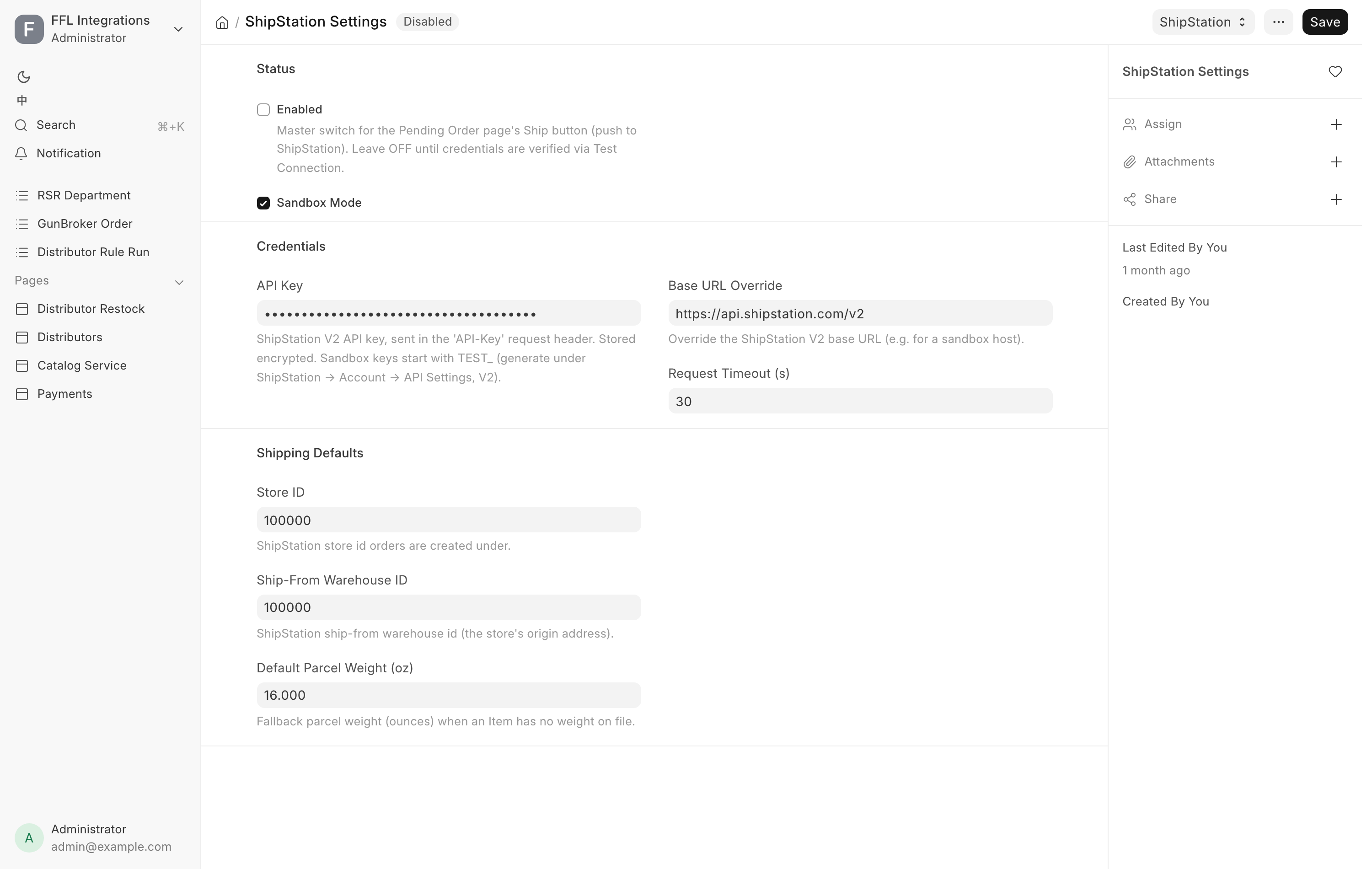
Status. Enabled is the master switch for the Pending Order page's Ship button. Leave it off until the credentials pass Test Connection. Sandbox Mode points at the test host.
Credentials. API Key is the ShipStation V2 key, stored encrypted.
Sandbox keys start with TEST_. Base URL Override defaults to the V2
endpoint. Request Timeout (s) defaults to 30.
Shipping Defaults. Store ID is the ShipStation store orders are created under. Ship-From Warehouse ID is the store's origin address on their side. Default Parcel Weight (oz) is the fallback when an item carries no weight, 16 ounces by default.
Buttons. Test Connection under a ShipStation menu on the toolbar. This form has no last-error field. Failures land in the error log and in the alert email.
GunBroker Settings
/app/gunbroker-settings. Connects to the GunBroker marketplace for listings
and orders. See GunBroker.
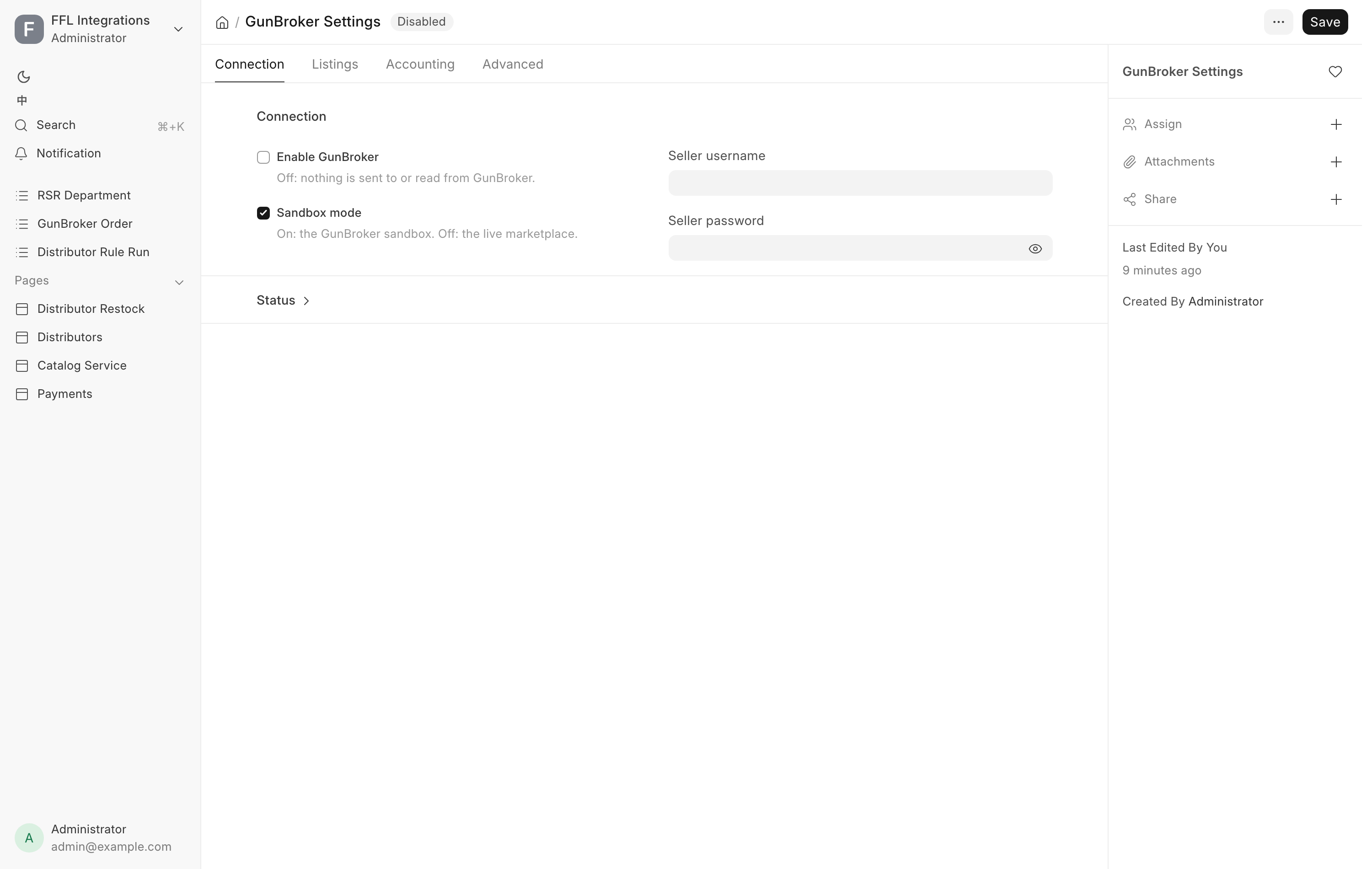
Connection. Enable GunBroker is the master switch and is off by default, so nothing is sent or read while it is off, and the GunBroker orders row leaves the Gun Shop sidebar. Sandbox mode is on by default and points at GunBroker's sandbox; untick it for the live marketplace. Seller username and Seller password are the account credentials.
Status section. Last listing push, Listings pushed, Last sweep, Orders synced up to (UTC), Orders synced and Last error are all read-only. Read Last error first when listings or orders stop moving.
Listings tab. Listing defaults used when a gun is sent up: Ship-from ZIP, Country, Duration (days, fixed price), Auto-relist (fixed price), Inspection period, FFL required, Ships internationally, Photos per listing, and either the account's own excluded states or an explicit Excluded states list. Auction defaults sit below: Listing type offered, Auction length (days) and Auto-relist (auction). Shipping defaults set who pays and the three fallback rates for long guns, handguns and accessories, used when a listing carries no rate of its own. A long-gun rate of zero makes the system refuse the listing. Payment methods are individual tick boxes. Personal check and card checkout are both off by default. The Category map table maps firearm type, item group or antique status to a GunBroker category, and an item's own category id overrides it. Picking a Category in the Send to GunBroker dialog saves that id on the item. See GunBroker. Listing content holds Blocked title phrases, one per line, and a Description footer appended to every listing, whose links and images must be secure.
Accounting tab. Check deposit account must be the operating bank account, not a clearing account. Card clearing account, FFL doc fee (per item) and the Final value fee tiers table complete the fee model. See Month-end close.
Advanced tab. Scheduled sync switches the order poll and listing sweeps on. Auto-acknowledge orders, Paid-not-shipped alert (days) at 7, End listings via and a one-time Re-read orders since back-fill. The API section holds request timeout, the counter check budget, page size and a base URL override for testing.
Buttons. Test Connection on the toolbar, and Fetch Listing Defaults to pull the account's own listing settings down. Both appear only once Enable GunBroker is ticked, because every call would otherwise come back "GunBroker is switched off".
WooCommerce Settings
/app/woocommerce-settings. Connects to the retail online store. See
WooCommerce.
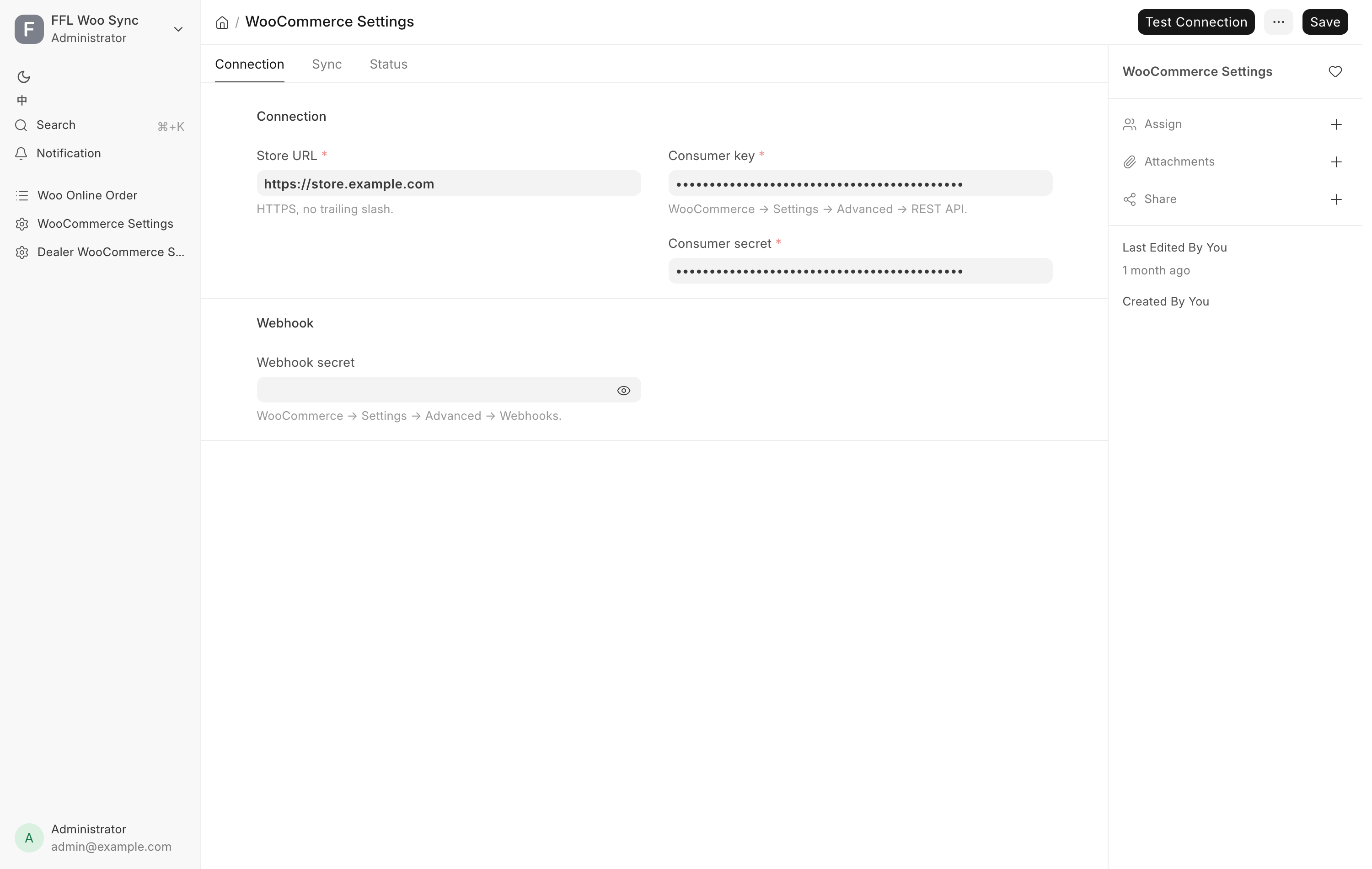
Connection tab. Store URL must be secure and carry no trailing slash. Consumer key and Consumer secret come from the store's own Settings, Advanced, REST API page. Webhook secret comes from Settings, Advanced, Webhooks on the same store. Outbound status webhook secret works the other way: it signs the drop-ship status events the POS sends to the website, so the web order shows distributor progress and tracking. The same value goes in the website's Dropship settings. Leave it blank and no status events are sent.
Sync tab. Enable sync is the master switch, off by default, and while it is off nothing is pushed, reconciled or audited, and the Web orders row leaves the Gun Shop sidebar. Reconcile frequency offers Every 2 Hours, Daily, Weekly or Disabled, and defaults to Daily. Follow the catalog category tree is on by default: the website's product categories follow the shared category list (see Data Service Settings), and a product push sets its category from it. Untick it and the website's categories are left as they are. Request Timeout (s) defaults to 30.
Status tab. Last push, Items pushed, Last reconcile, Last order audit and Last error are read-only. Last order audit is the daily check for store orders missing from the system.
Buttons. Test Connection on the toolbar reads one product from the store with the saved credentials and writes nothing. Press it after every change here. Push, delist and reconcile are driven from the Item and Serial No forms and from the scheduled jobs. When something is wrong, read Last error on the Status tab.
Data Service Settings
/app/data-service-settings, the Data Service (FFL & Catalog) shortcut on
the Settings workspace. Connects to the shared data service the
store reads distributor catalogs and the category list from, and FFL
verification when FFL Settings uses the Data Service
provider.
Connection tab. Endpoint is the service's base URL, without a trailing path. Client ID is issued by the service operator and identifies this store. Secret is this store's key, stored encrypted. A Distributor record may override the catalog service for its own house.
Status tab. Catalog API contract, Checked at and Last error are read-only and record the last Test Connection. The tab appears once a test has recorded one of them, so a store that has never pressed Test Connection sees only Connection and Categories.
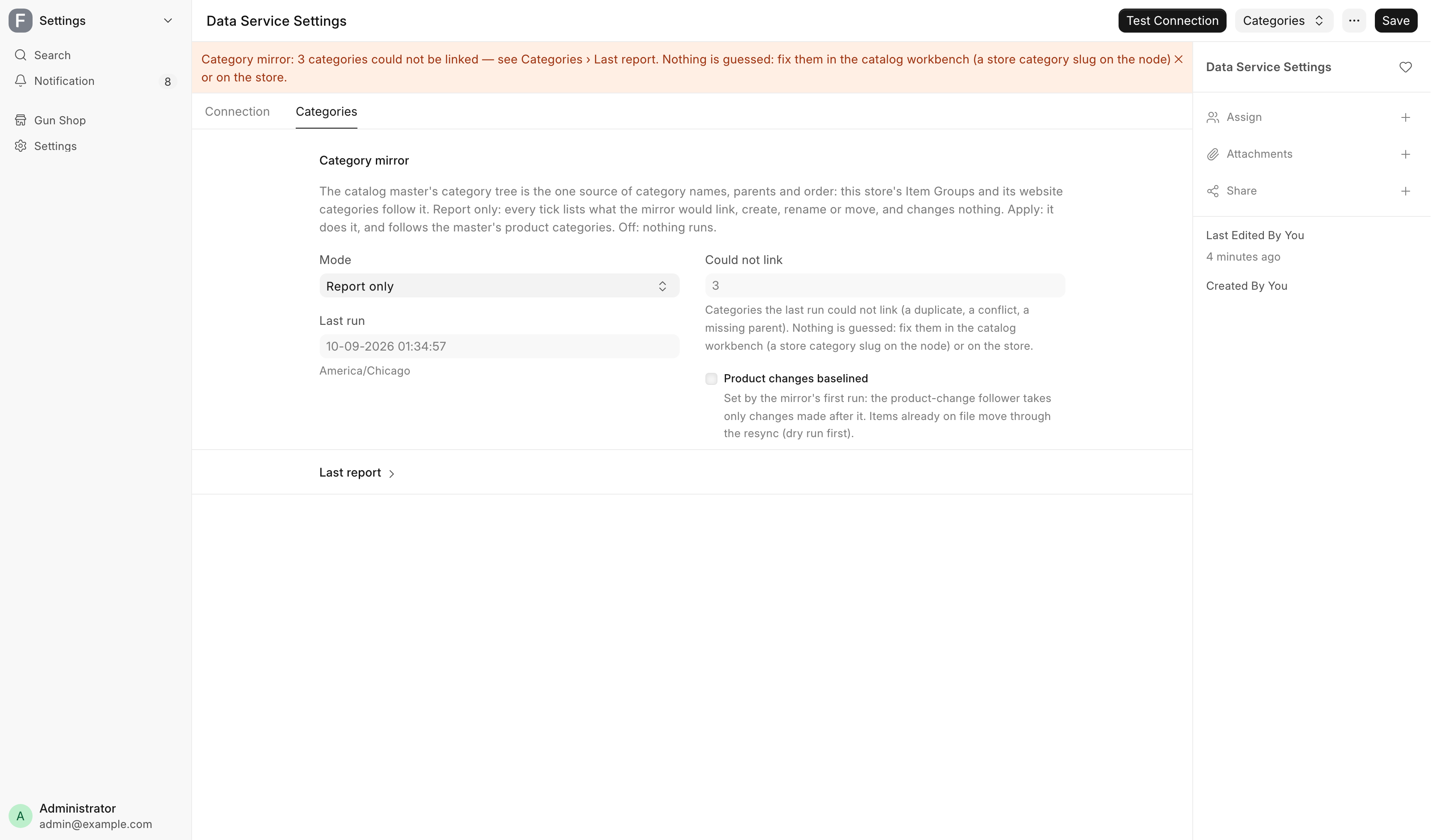
Categories tab. The shared category list is the one source of category names, parents and order. The store's Item Groups and its website categories follow it. Mode decides what the category mirror does on each run, every 15 minutes:
| Mode | What happens |
|---|---|
| Off | Nothing runs. |
| Report only | The default. Lists what it would link, create, rename or move, and changes nothing. |
| Apply | Makes those changes and follows the catalog's product category changes. |
Last run and Could not link are read-only. Could not link counts the categories the last run could not link, such as a duplicate, a conflict or a missing parent. Nothing is guessed: they are fixed in the catalog or on the website. The full result is under Last report. While anything could not be linked, an orange banner at the top of the form says how many.
Buttons. Test Connection on the toolbar checks the catalog for every enabled distributor and shows one line per house. Under Categories, Run category mirror runs the mirror now in its current mode. Its report lands on the Categories tab.