Items and serials
The Item form describes a model. The Serial No form describes one physical gun. Managers use both to price stock and to record what a particular firearm actually is. Open them from Inventory → Items and Inventory → Serial numbers in the sidebar.
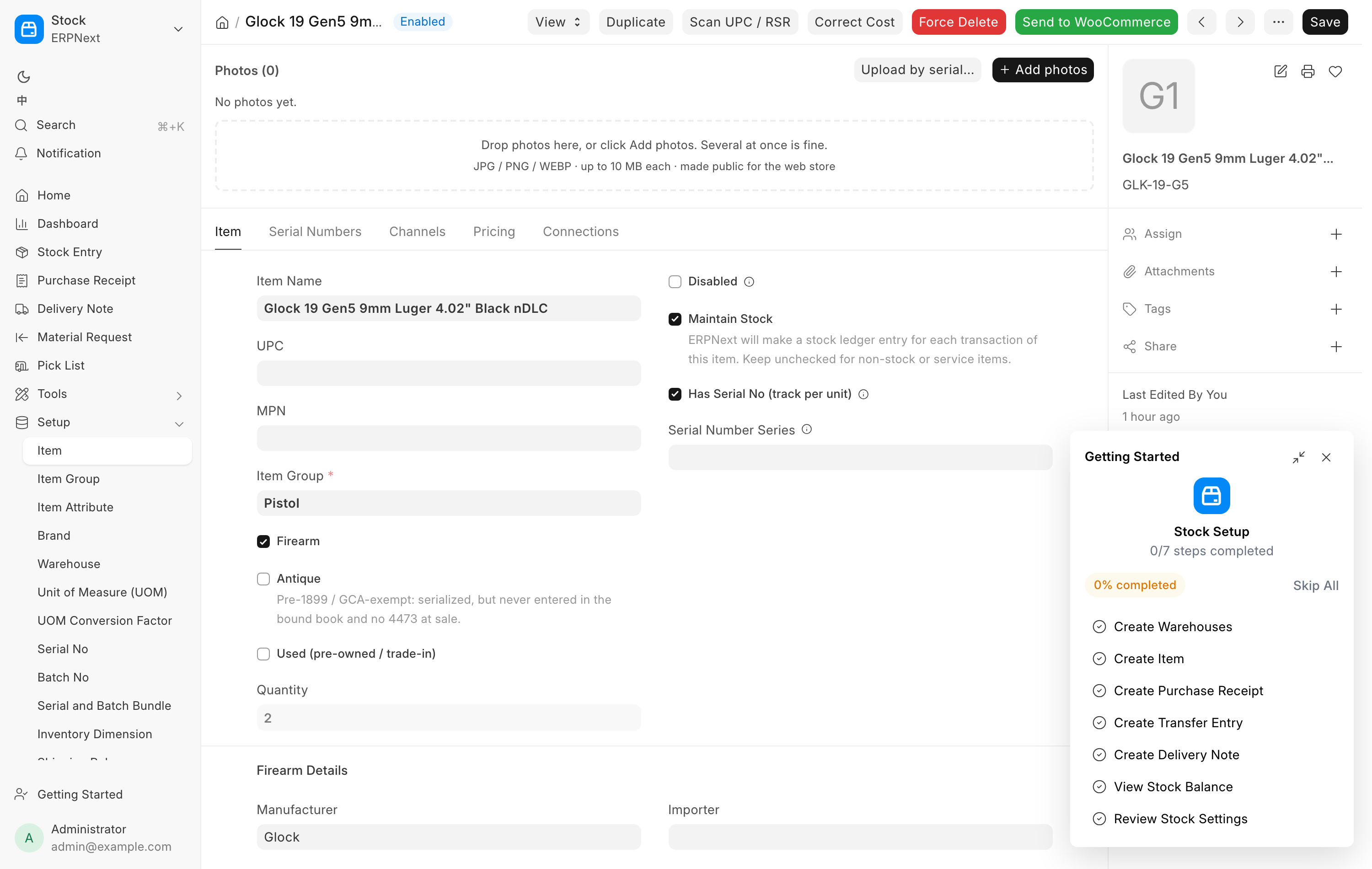
The Item form
Firearm Details
This section appears once Firearm is ticked. What you put here is the model-level truth, shared by every unit filed under this item.
| Field | Notes |
|---|---|
| Manufacturer | Picked from the Brand list. |
| Model | Free text. |
| Caliber | Picked from the Caliber list. |
| Firearm Type | The ATF vocabulary: Pistol, Revolver, Rifle, Shotgun, Receiver, Other Firearm, Silencer, Short Barreled Rifle, Short Barreled Shotgun, Machine Gun, Destructive Device, Any Other Weapon. |
| Importer | Reference only. Each gun's real importer marking lives on its Serial No, and nothing uses this field as a default. |
| Barrel Length (in) | Used stock only. |
| Finish | Used stock only. |
| Year Made | Used stock only. The model-level default. A gun's own year lives on its serial. |
| Condition Grade | Used stock only. New, Excellent, Very Good, Good, Fair. Defaults to Very Good. |
The last four appear only when Used (pre-owned / trade-in) is ticked. New and used guns share the same item groups; the tick is what makes a model used. On a shared used-model SKU the grade that matters is the one on each Serial No, because two used guns under one SKU rarely match.
Three checkboxes sit near the top of the form:
- Firearm marks the item as a bound-book item of any type, NFA classes included. It drives compliance, 4473 gating, FastBound sync and the Serial Numbers tab. It is filled in automatically when the item group is a firearm group (see Item groups), and so is Has Serial No (track per unit): a stock item in a firearm group is always tracked by serial, whether or not the box was ticked when it was created. A firearm received without serial tracking could not be sold at the register; that can no longer happen. Fee and service items filed under a firearm group are not affected.
- Antique marks a pre-1899 or otherwise GCA-exempt gun. It is still serialized and still requires a serial, but it never enters the bound book and there is no 4473 or NICS check at sale.
- Used (pre-owned / trade-in) marks pre-owned stock and reveals the condition fields above.
Quantity is read-only and sums stock across warehouses.
Catalog Category is read-only and is filled on items that came from the distributor catalog. Its note reads "The catalog master's category for this product (catalog Items only). The website category follows it; the Item Group follows it unless the Item is serialized." It cannot be changed on this form.
Item groups
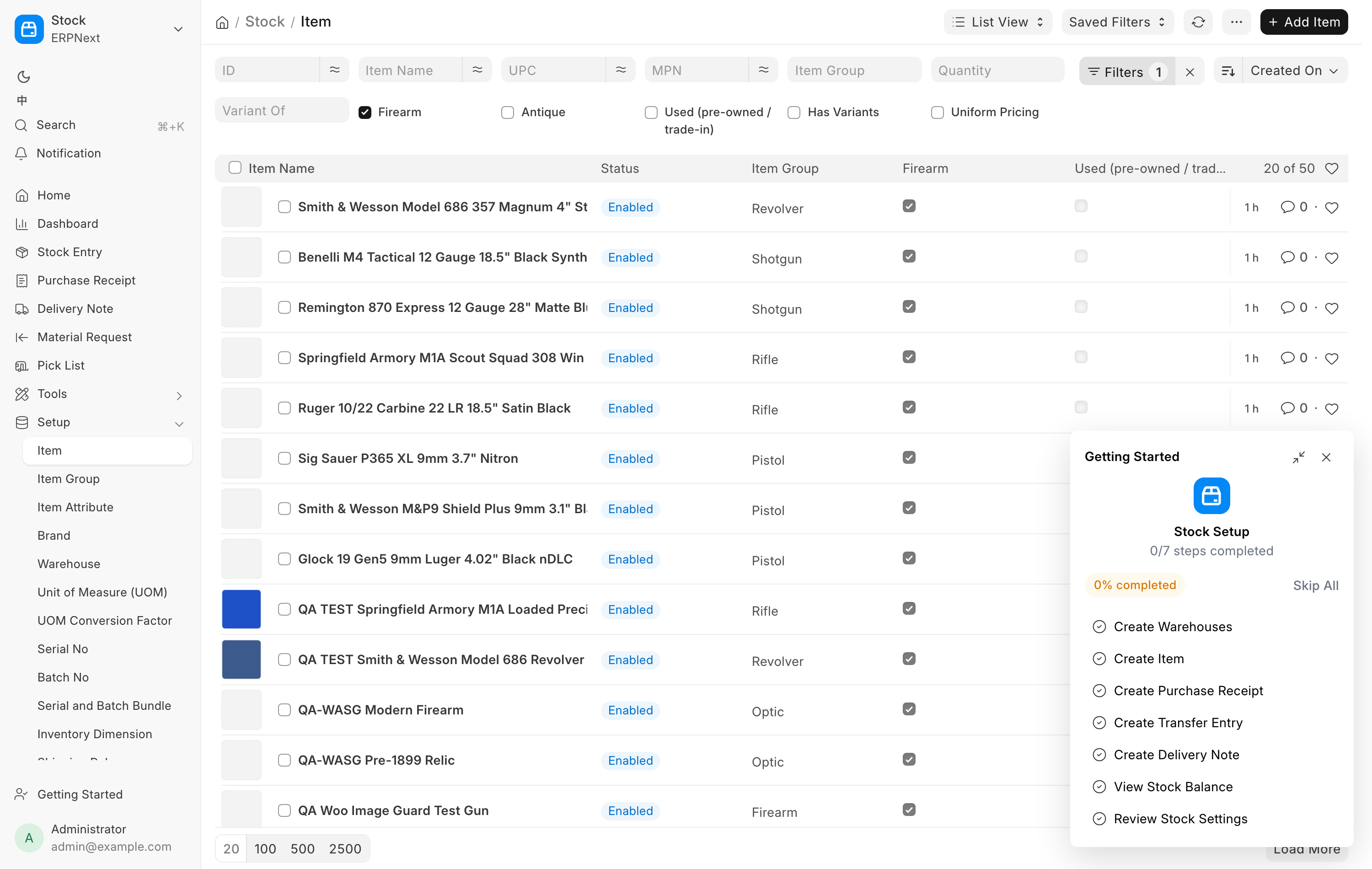
The Item Group says what kind of product an item is. An item in the Firearm group or the NFA group under it is a serialized, bound-book firearm. Everything else is ordinary stock.
| Group | What goes in it |
|---|---|
| Firearm | Pistol, Revolver, Rifle, Shotgun, Other Firearm and Receiver. A stripped receiver or frame goes under Receiver. |
| NFA (under Firearm) | Suppressor, SBR, SBS, DD, MG, AOW. |
| Parts | Uppers, Barrels, Bolt Carrier Groups & Charging Handles, Triggers, Lower Parts & Kits, Muzzle Devices, Handguards & Rails, Stocks & Grips. |
| Accessory | Optic, Magazine, Holster, Cleaning, Light, Knife, Safe, Misc Accessory, Slings & Mounts, Sights, Optic Mounts. |
| Ammunition | Pistol Ammo, Rifle Ammo, Shotgun Ammo, Rimfire Ammo. |
Gun parts are not firearms. An upper, a barrel or a trigger has no serial number and needs no FFL at web checkout. The serialized part, the receiver, is filed under Firearm. There are no Handgun, Long Gun, New Firearm or Used Firearm groups any more. Older items may still sit in one until they are moved, and they still count as firearms.
CA Legal and Compliant Service
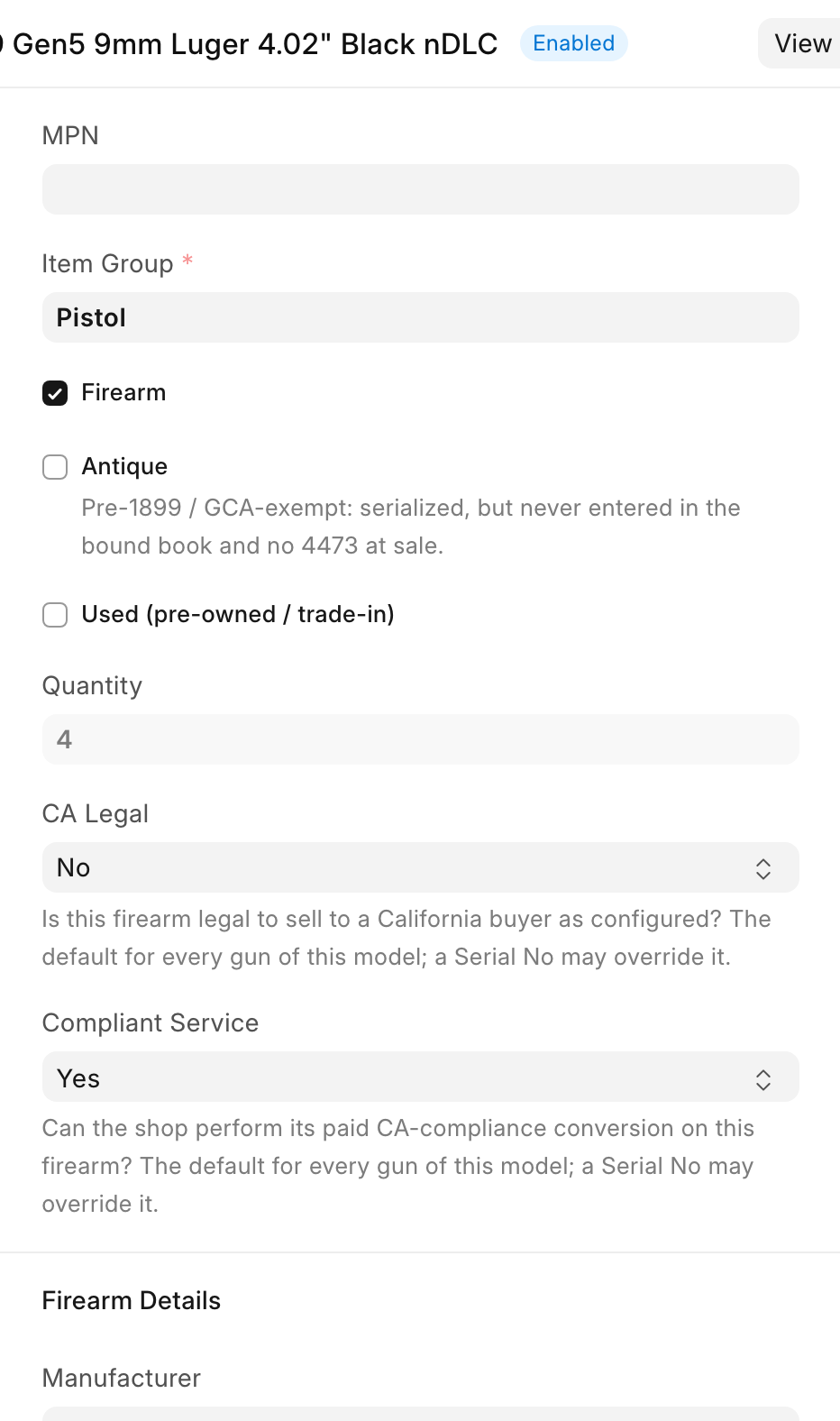
On stores that run the CA Compliant extension, two more answers sit below Item Group, after the tick boxes and Quantity:
| Field | Question it answers |
|---|---|
| CA Legal | "Is this firearm legal to sell to a California buyer as configured?" |
| Compliant Service | "Can the shop perform its paid CA-compliance conversion on this firearm?" |
Each is Yes, No or blank. Blank means nobody has answered yet, which is not the same as No, and the website shows neither answer. The Item's answer is the default for every gun of the model; a Serial No can override it (see below). Both answers go to the web listing, and changing one of them alone is enough to update the product page.
UPC and MPN
UPC holds the twelve-digit barcode, one per item, and is kept in step with the standard Item Barcode table so scanning still resolves the item at the register and on Receive Goods. MPN holds the manufacturer part number and is sent to FastBound as the item's MPN.
Both also go on a GunBroker listing. GunBroker fills in manufacturer, model and caliber from its own catalog by UPC, so a gun whose model has no UPC needs them added by hand on GunBroker. See GunBroker.
Pricing
The Pricing tab carries four numbers.
| Field | What it is |
|---|---|
| Selling Price | What the register charges, for a uniform-priced item. |
| Cost | What the store pays. Mirrored from the last receive. |
| MAP | The minimum advertised price the manufacturer sets. |
| MSRP | The manufacturer's suggested retail price. |
MAP and MSRP are reference figures. Neither is charged.
Sale and pricing rules
Sale Price is a promotional price and must be below the Selling Price. Leave it at 0 for no sale. Sale From and Sale To bracket the window. An empty Sale From starts immediately, and an empty Sale To runs until you clear it. The sale applies at the register and syncs to the web store's sale price.
Uniform Pricing decides where a firearm's price lives. See Pricing on the Item or on the gun.
Sells Through Listing points a per-gun-priced pool at a uniform-priced listing item, so its serials may also sell through that listing. A web order for the listing then accepts a serial from this pool. Leave it blank on an ordinary item.
Channels
The Channels tab holds everything about publishing this model.
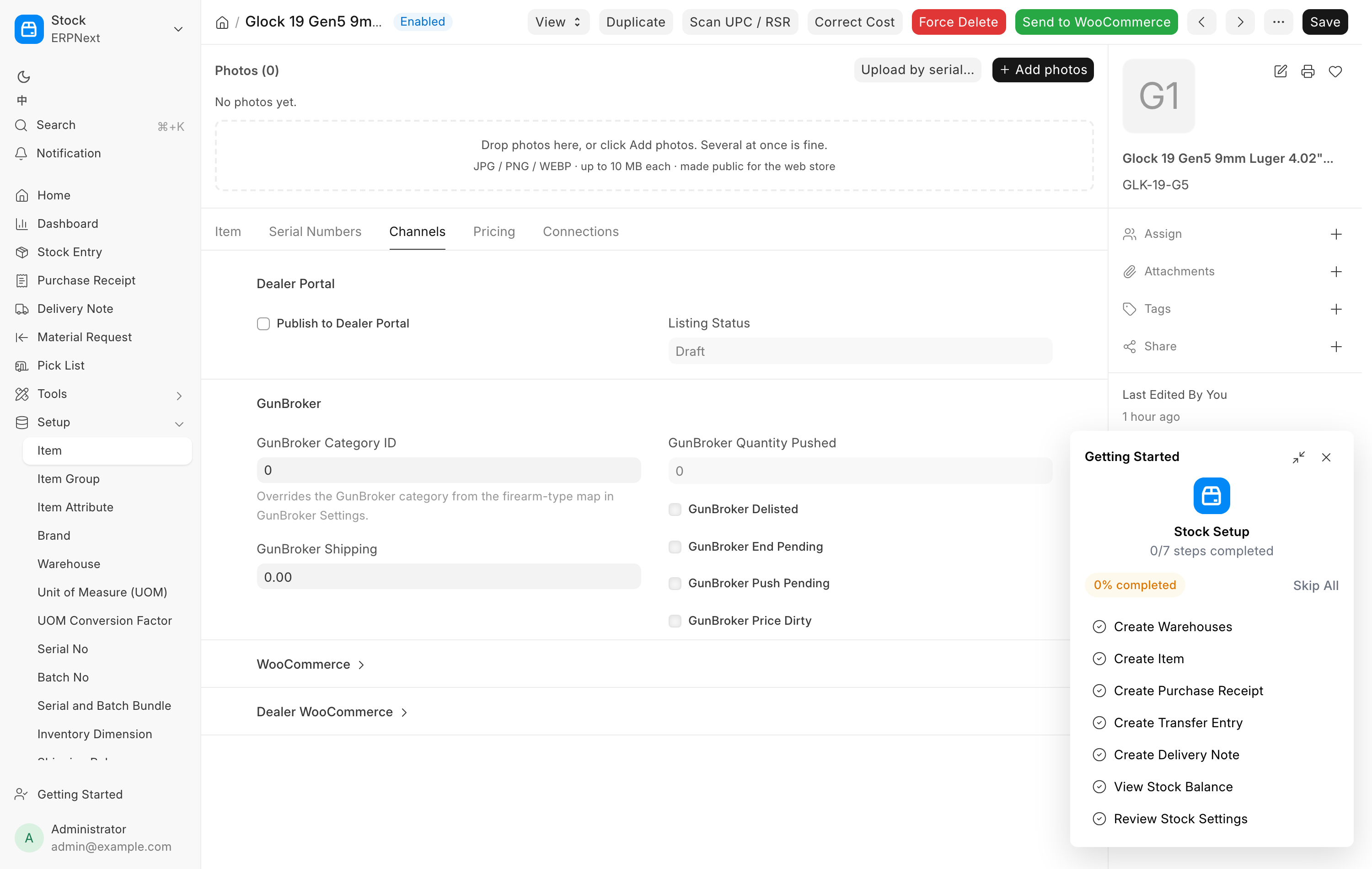
- Listing Status is read-only and reads Draft, Listed, Reserved or Sold.
- The WooCommerce and GunBroker sections carry the per-channel product IDs, sync timestamps and any sync error. See WooCommerce and GunBroker.
- GunBroker Category ID picks the GunBroker category for this model. It is also set by the Category choice in Send to GunBroker, which is saved on the model, so every gun of the item lists in the same category.
The Serial Numbers tab
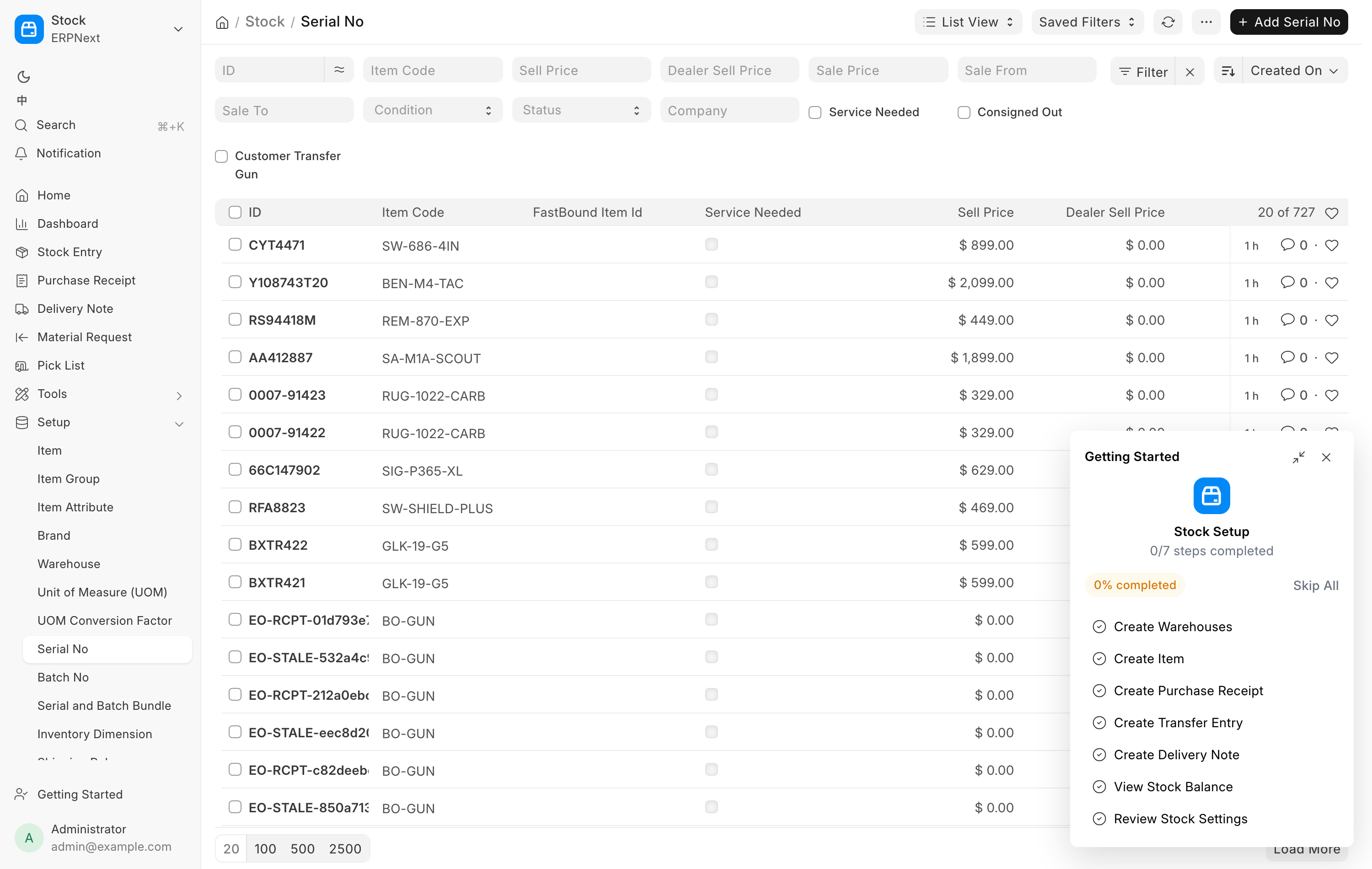
This tab appears on any item marked as a firearm and lists every gun filed under it. The columns are Photo, Serial No, Warehouse, Status, Condition, Cost, Sell Price, FastBound Item Id, Service Needed and WooCommerce.
Three cells are clickable:
- Sell Price opens a small prompt to set that gun's price. On a
uniform-priced item the cell is not editable and reads
· uniform. Change the item's Selling Price instead. - Service Needed toggles the gunsmith flag. An orange Service Needed pill means the gun is not ready; click it to mark the gun as serviced.
- WooCommerce toggles the per-gun listing between Listed and not.
Each Active row also carries a small ✎ fix link for correcting a mistyped serial.
By default the tab shows in-stock guns only. Show disposed / inactive widens it to everything the item has ever held.
The Scan UPC / RSR button
Scan UPC / RSR opens Lookup from RSR Catalog and matches a scanned or typed value against the distributor catalog by UPC, distributor stock number or manufacturer part number. Apply to Form fills the item in.
On a brand-new item the same lookup appears as a banner at the top of the form and fills everything: code, name, group, manufacturer and model, prices, description, image and the UPC barcode row. On a saved item it only fills fields that are still empty, so it never overwrites what you typed. Use it to backfill a sparse record.
The Serial No form
Firearm Details
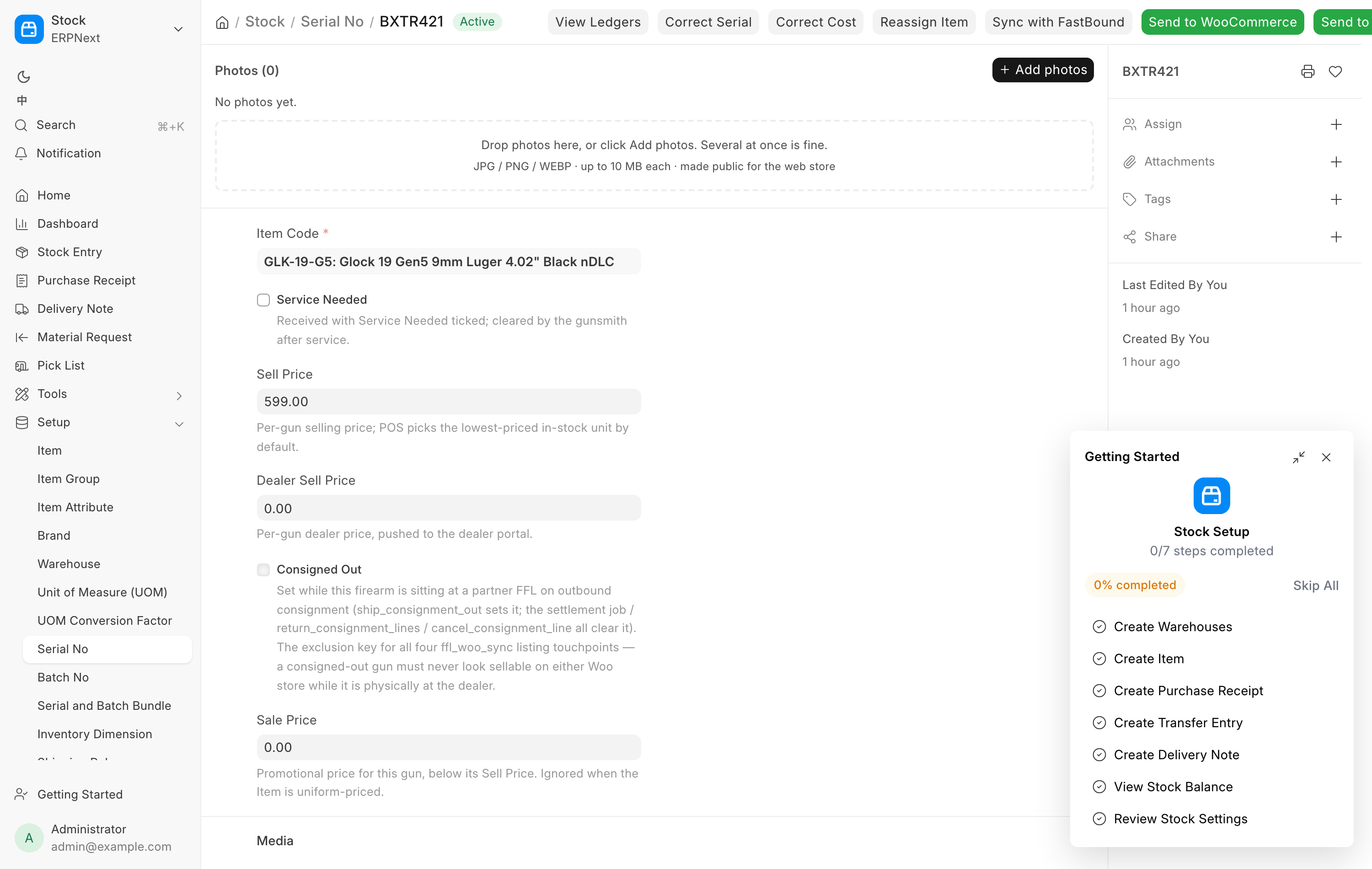
Every field here describes this one gun, and this is what FastBound's bound book records. The sync keeps the two aligned.
| Field | Blank means |
|---|---|
| Manufacturer | Use the Item's Manufacturer. |
| Model | Use the Item's Model. |
| Caliber | Use the Item's Caliber. |
| Firearm Type | Use the Item's Firearm Type. |
| Importer | No importer at all. This one never falls back to the Item. |
| Year Made | Nothing recorded for this gun. |
| Condition | New, Excellent, Very Good, Good, Fair. Defaults to Very Good. |
| CA Legal / Compliant Service | Use the Item's answer. On stores that run the CA Compliant extension; these sit in this section, below Year Made. |
Importer is the exception on purpose. On a generic surplus SKU an item-level importer is one unit's marking pretending to be the model's, so an imported gun states its own or carries none.
Federal recordkeeping
Editing Manufacturer, Importer, Model or Caliber on a gun already in the bound book prompts you after saving: "This firearm is already in the FastBound bound book. Push the updated firearm details (manufacturer / importer / model / caliber) to FastBound?" Answer yes, or the bound book and this system disagree about what the gun is. Declining shows "Saved locally — FastBound was not updated."
Media
Photo is this gun's primary shot and becomes the thumbnail on the Item's Serial Numbers tab. Photo Gallery holds the rest: condition shots, angles, accessories. See Photos.
Pricing
- Sell Price is this gun's price. At the register the serial dropdown lists the in-stock units cheapest first, and the cashier picks the gun in hand.
- Sale Price, Sale From and Sale To run a promotion on this one gun. The sale price must be below the gun's Sell Price, and it is ignored when the parent item is uniform-priced.
- Dealer Sell Price is what a consignment partner owes you when this gun sells. It prefills the settlement price when the gun goes out on consignment. See Consignment.
Status flags
These tell you why a gun is or is not available. All but Service Needed are read-only.
| Field | Meaning |
|---|---|
| Service Needed | Received with the gunsmith flag ticked. Cleared by the gunsmith. |
| Storage Location | Where the gun sits in the store. Change it from Storage locations; it clears when the gun leaves stock. |
| Consigned Out | Sitting at a partner FFL on outbound consignment. Hidden from the web store while set. Set by the consignment extension. |
| FastBound Item Id | The bound-book item this serial maps to, stamped 1:1 when the acquisition is pushed. Empty means the gun is not in FastBound. |
| Reserved via Woo | Sold on the web store, awaiting fulfillment. |
| Reserved via GunBroker | Sold on GunBroker, awaiting fulfillment. |
Both reservation flags are read through one rule, so no channel can sell a gun another channel has already taken.
GunBroker Free Shipping is ticked from Free shipping (seller pays) in Send to GunBroker. While it is ticked the gun lists on GunBroker with free shipping.
Buttons
| Button | What it does |
|---|---|
| Correct Serial | Fixes a mistyped serial on an in-stock gun. See Corrections. |
| Correct Cost | Revalues an in-stock gun the store owns. See Corrections. |
| Reassign Item | Moves the gun to a different model item. See Corrections. |
| Sync with FastBound | Compares this gun against the bound book field by field. See FastBound. |
The WooCommerce and GunBroker buttons are covered under Channels.
Pricing on the Item or on the gun
Uniform Pricing is the switch.
Ticked, every serial shares the item's Selling Price. Use it for new, interchangeable stock. Ten identical Glock 19s all cost the customer the same, the price lives in one place, and a sale set on the item applies to all of them. The per-gun Sell Price cell on the Serial Numbers tab is not editable.
Unticked, each gun carries its own Sell Price. Use it for used guns, surplus, consignment and anything where condition drives the number. The price is entered at receive on Receive Goods and edited afterwards on the Item form's Serial Numbers tab or on the Serial No form itself. A sale price on the item is ignored, so run promotions per gun.
A Sell Price of 0 means the gun is not priced yet. It is not a free gun, and the web listing guard refuses to publish one.
Related pages
- Receive Goods, where most of these fields are first filled in.
- Photos for the galleries on both forms.
- Corrections for the repair tools.
- Channels for how the listing fields are used.
- Storage locations and the store map for where each gun sits.