Settings
The Settings workspace is where the store is configured. Managers and system
administrators work here. Open it from Settings, the last row of the Gun
Shop sidebar, or go to /app/settings.
A settings change applies to the whole store
Nothing here is personal. Turning a switch off closes a subsystem for every till and every user, and some changes take effect only after a till reloads. Several of these pages need System Manager. If you are not sure what a field does, ask a manager before saving.
What lives where
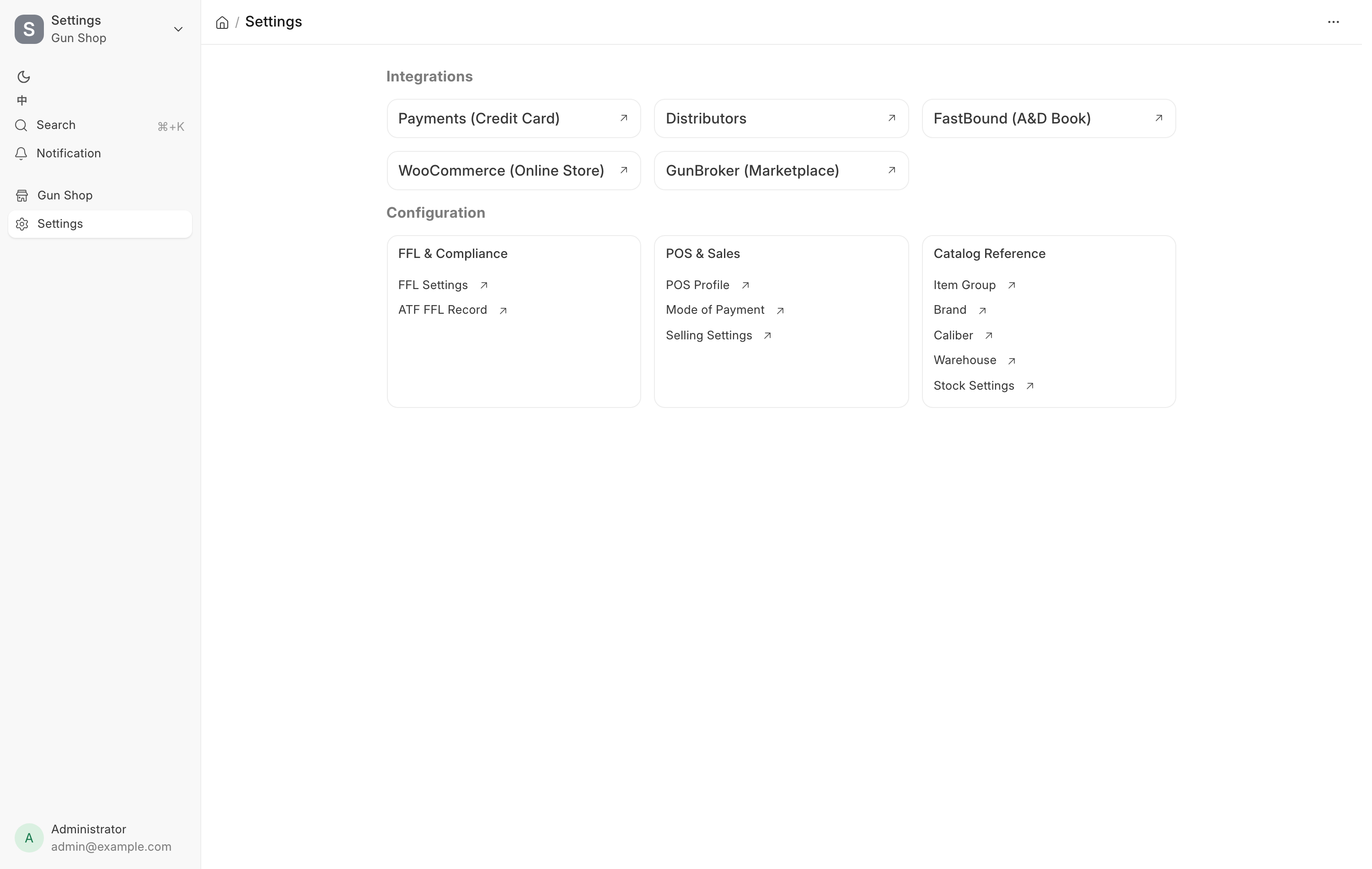
The page has two halves. Integrations across the top holds shortcuts to the outside systems. Configuration below holds three cards of store setup.
The integration shortcuts are:
| Shortcut | Opens |
|---|---|
| Payments (Credit Card) | The Payments hub at /app/payment-hub |
| Distributors | The Distributors hub at /app/distributor-hub |
| Drop-ship Center | The Drop-ship Center, only while OSA Dropship is turned on |
| FastBound (A&D Book) | FastBound Settings |
| WooCommerce (Online Store) | WooCommerce Settings |
| GunBroker (Marketplace) | GunBroker Settings |
| Data Service (FFL & Catalog) | Data Service Settings |
| Extensions | The Extensions page at /app/extensions |
The Drop-ship Center shortcut is added when the OSA Dropship extension is turned on and removed when it is turned off. See the Drop-ship Center.
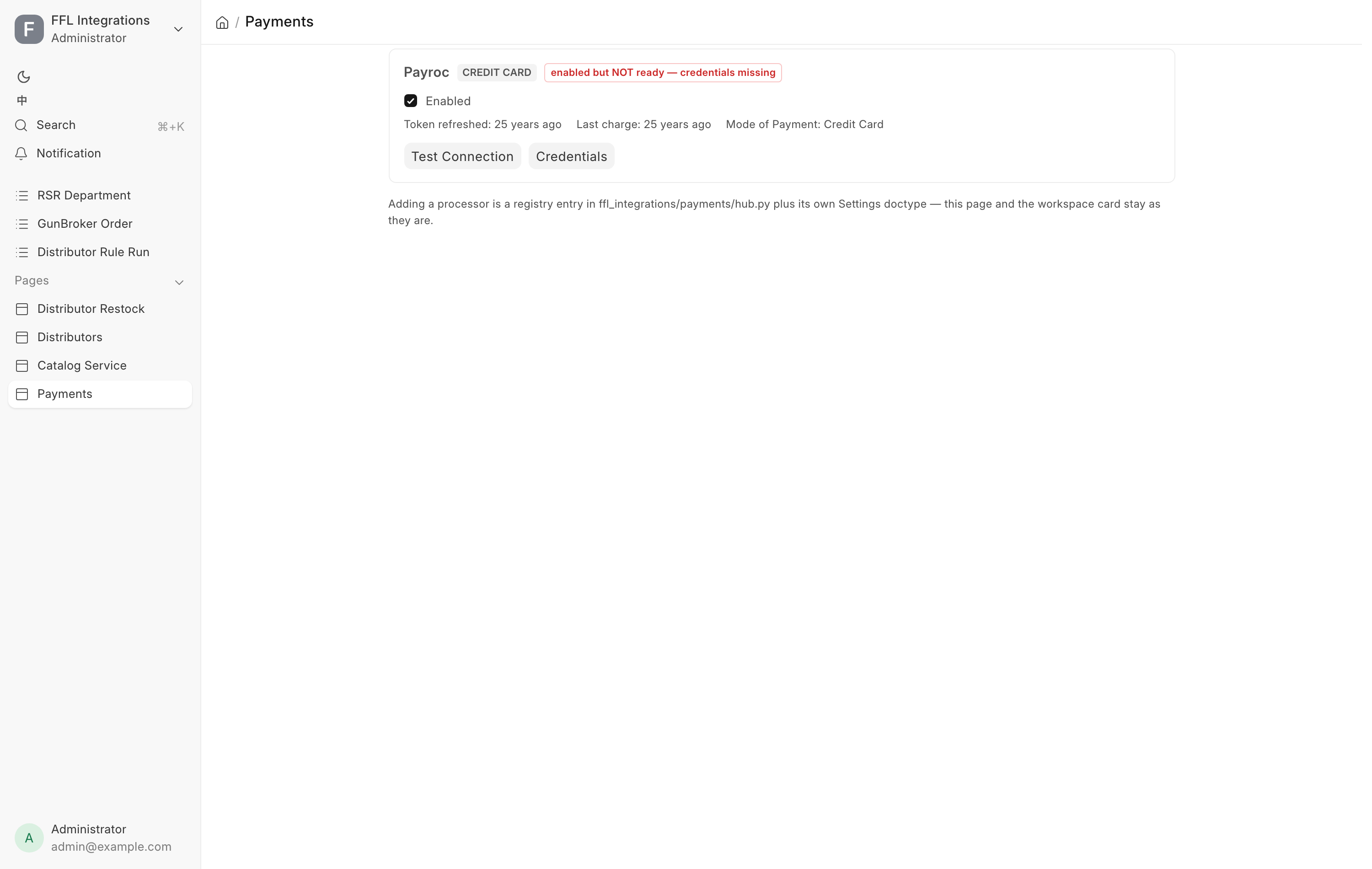
The two hubs are pages, not settings forms. The Payments hub lists every card processor as a card showing whether it is enabled, whether it is ready, the mode of payment it is wired to, and when it last took money. Each card has Test Connection and Credentials buttons. A Card on file card below them switches on saving cards. The Distributors hub has one card per distributor, with its Enabled, Drop-ship, Stocking and Poll switches, feed and order health, and Test Connection, Pricing & stock and Account & shipping buttons. Catalog Service and Drop-ship Center buttons appear on a card only while OSA Dropship is turned on. See the Distributors hub.
The three configuration cards are:
| Card | Links |
|---|---|
| FFL & Compliance | FFL Settings, MCP Settings, ATF FFL Record |
| POS & Sales | ShipStation Settings, Cash Drawer Settings, Membership Settings, POS Profile, Mode of Payment, Selling Settings |
| Catalog Reference | Item Group, Brand, Caliber, Warehouse, Stock Settings |
The Dashboard's All records list also reaches several of these under Setup, including FFL settings and FastBound settings, plus ShipStation settings while a web channel is on. See the Dashboard.
Every settings page
| Page | Route | What it controls |
|---|---|---|
| FFL Settings | /app/ffl-settings |
Our FFL number, alerts, receive sources, overdue orders, shipping tax, 4473 mode, transfer fee, customer ID numbers, FFL verification |
| MCP Settings | /app/mcp-settings |
Whether AI assistants can connect to the POS, read-only or full |
| ATF FFL Record | /app/atf-ffl-record |
The looked-up ATF license records other FFLs are checked against |
| ShipStation Settings | /app/shipstation-settings |
Shipping labels, the ship-from warehouse and parcel defaults |
| Cash Drawer Settings | /app/cash-drawer-settings |
Count difference that needs a reason, biggest cash expense, expense accounts |
| Membership Settings | /app/membership-settings |
Whether renewals are charged automatically, and the yearly renewal reminder. See Memberships |
| POS Profile | /app/pos-profile |
Which till, warehouse, price list and payment methods a register uses |
| Mode of Payment | /app/mode-of-payment |
The tender types the register offers and the account each posts to |
| Selling Settings | /app/selling-settings |
ERPNext-wide selling defaults such as customer naming and order behavior |
| Item Group | /app/item-group |
The product category tree that drives firearm classification and reports |
| Brand | /app/brand |
The manufacturer list |
| Caliber | /app/caliber |
The caliber list used by items, serials and the storefront filter |
| Warehouse | /app/warehouse |
Stock locations, including custody and consignment warehouses |
| Stock Settings | /app/stock-settings |
ERPNext-wide stock defaults such as valuation and negative stock |
| FastBound Settings | /app/fastbound-settings |
The bound book connection, webhook, imports and cached lists |
| Payroc Settings | /app/payroc-settings |
The card terminal, its credentials and standalone-terminal mode |
| RSR Settings | /app/rsr-settings |
RSR ordering accounts, order details and freight estimates |
| Sports South Settings | /app/sports-south-settings |
Sports South ordering account, FFL emails, ship codes, store ship-to address and freight |
| GunBroker Settings | /app/gunbroker-settings |
Marketplace credentials, listing defaults, fees and sync |
| WooCommerce Settings | /app/woocommerce-settings |
The online store connection, sync and categories |
| Data Service Settings | /app/data-service-settings |
The shared data service for FFL lookups, catalogs and categories |
MCP Settings turns on the read-only and the full MCP server, the connection an AI assistant such as Claude uses. Each switch shows its server address and a ready-to-copy Claude Code command once it is on. Staff sign in with their own POS account, and the assistant can do only what their role allows. The Connector Audit Log button on the form opens the permanent record of every action taken through a connector. System Manager only. See the MCP server.
Cash Drawer Settings holds the drawer's limits: Count difference that needs a reason ($20 by default), Biggest cash expense ($200 by default), and Accounts a cash expense can go to. Cash tracking started is read-only. System Manager only. See the cash drawer.
Payroc Settings, RSR Settings and Sports South Settings have no shortcut on this workspace. Reach Payroc through the Payments hub, and RSR and Sports South with Account & shipping on their Distributors hub cards.
Read FFL Settings field by field, and Integration settings for the connection pages.
Extension settings
Each extension that has settings shows a Settings button on its card on the Extensions page, enabled while the extension is turned on. The extensions this store runs open these pages:
| Extension | Settings page | Route |
|---|---|---|
| OSA Consignment | OSA Consignment Settings | /app/osa-consignment-settings |
| OSA Dropship | OSA Dropship Pricing Settings | /app/osa-dropship-pricing-settings |
| OSA AI | OSA AI Settings | /app/osa-ai-settings |
See Extensions for turning an extension on or off and updating it.